Sponsored
OP
OP
citizen

citizen

Well-Known Member
First Name
Darren
Joined
Sep 1, 2021
Threads
16
Messages
395
Reaction score
439
Location
Orange County, CA
Vehicles
R1S, 911, RX350h
Occupation
Designer
Clubs
 
Thanks for such a well detailed chronicle with photos!

I may be overthinking this but what did you mean by “since I didn't care about parking mode, tied both the battery and ACC wires to the same fuse”. Do you mind elaborating?

Also, what phone holder are you using? I can see it on one of the photos.

Thanks!
Some dashcams allow operation while parked and vehicle is off. The two wires are attached to battery and accessory power fuses to enable recording while car is off. Since I didn’t need this functionality, I tied both wires to the same fuse.

Phone mount, went with this option because it raises the phone up. Pair it with any holder and an ODB2 if you want power (or fuse tap it)
https://opensourceev.com/products/phone-ball-mount-evo
Sponsored
 

doozenberg

Well-Known Member
Joined
Nov 1, 2021
Threads
7
Messages
121
Reaction score
82
Location
Socal
Website
rivian.com
Vehicles
‘18 Model 3, ‘22 Model Y, '25 R1S Standard-->sold
Thank you for your detailed tutorial.
Any updates? You mentioned creating a notch in the plastic on liftgate—did you figure out a way to pipe rear camera cable underneath plastic and go to rear glass so it doesn’t have to come back out?
Gen2 R1S here, found instructions to still largely apply. The tolerances on these trim pieces are tight!
Rivian R1T R1S Front + rear dashcam installed via  mirror tap (DIY tutorial) IMG_0304
Rivian R1T R1S Front + rear dashcam installed via  mirror tap (DIY tutorial) IMG_0303
Rivian R1T R1S Front + rear dashcam installed via  mirror tap (DIY tutorial) IMG_0300
Rivian R1T R1S Front + rear dashcam installed via  mirror tap (DIY tutorial) IMG_0298


Rivian R1T R1S Front + rear dashcam installed via  mirror tap (DIY tutorial) IMG_0295
 
Last edited:

doozenberg

Well-Known Member
Joined
Nov 1, 2021
Threads
7
Messages
121
Reaction score
82
Location
Socal
Website
rivian.com
Vehicles
‘18 Model 3, ‘22 Model Y, '25 R1S Standard-->sold
Anyone with any further tips on fishing wire through rear lift gate wire housing with coat hanger? Having a bear of a time as the 90 degree angle of the USB C connector keeps getting hung up and sliding off my hanger despite generous electrical tape on a reasonably long stretch…
 
OP
OP
citizen

citizen

Well-Known Member
First Name
Darren
Joined
Sep 1, 2021
Threads
16
Messages
395
Reaction score
439
Location
Orange County, CA
Vehicles
R1S, 911, RX350h
Occupation
Designer
Clubs
 
Anyone with any further tips on fishing wire through rear lift gate wire housing with coat hanger? Having a bear of a time as the 90 degree angle of the USB C connector keeps getting hung up and sliding off my hanger despite generous electrical tape on a reasonably long stretch…
Oh geez, didn’t realize that was the end that you had. I had a blocky coaxial which I thought was hard enough, but a 90 degree USB-C must be way larger.

When I was running mine, I kept thinking about unseating that tube so I could run it more straight, have you looked into that. Might also allow you to look inside of it to see which wires are blocking it.

Finally, why bother with a Gen2?! The cameras are great!
 

doozenberg

Well-Known Member
Joined
Nov 1, 2021
Threads
7
Messages
121
Reaction score
82
Location
Socal
Website
rivian.com
Vehicles
‘18 Model 3, ‘22 Model Y, '25 R1S Standard-->sold
Oh geez, didn’t realize that was the end that you had. I had a blocky coaxial which I thought was hard enough, but a 90 degree USB-C must be way larger.

When I was running mine, I kept thinking about unseating that tube so I could run it more straight, have you looked into that. Might also allow you to look inside of it to see which wires are blocking it.

Finally, why bother with a Gen2?! The cameras are great!
Figured out the left drivers side gasket is way narrower due to being packed w more cables than the right gasket. Switched and it was a lot easier.

I was just thinking the same thing as I struggled with this cable, but seeing how flaky Drive Cam has been so far this first month of ownership, plus a history of not trusting Tesla Dashcam to catch license plates, decided to splurge on a third party solution for peace of mind. Rain droplets, dirt/mud hitting either of the front/rear cameras are also potential compromising factors.
 

Sponsored
OP
OP
citizen

citizen

Well-Known Member
First Name
Darren
Joined
Sep 1, 2021
Threads
16
Messages
395
Reaction score
439
Location
Orange County, CA
Vehicles
R1S, 911, RX350h
Occupation
Designer
Clubs
 
Oh great reasons. Note that it was the recent update that had made it so flaky. Prior to this I never got the drive errors that seem to be cropping up weekly now.
 

Granolander

Active Member
Joined
Jun 14, 2024
Threads
0
Messages
27
Reaction score
2
Location
USA
Vehicles
Rivian R1S
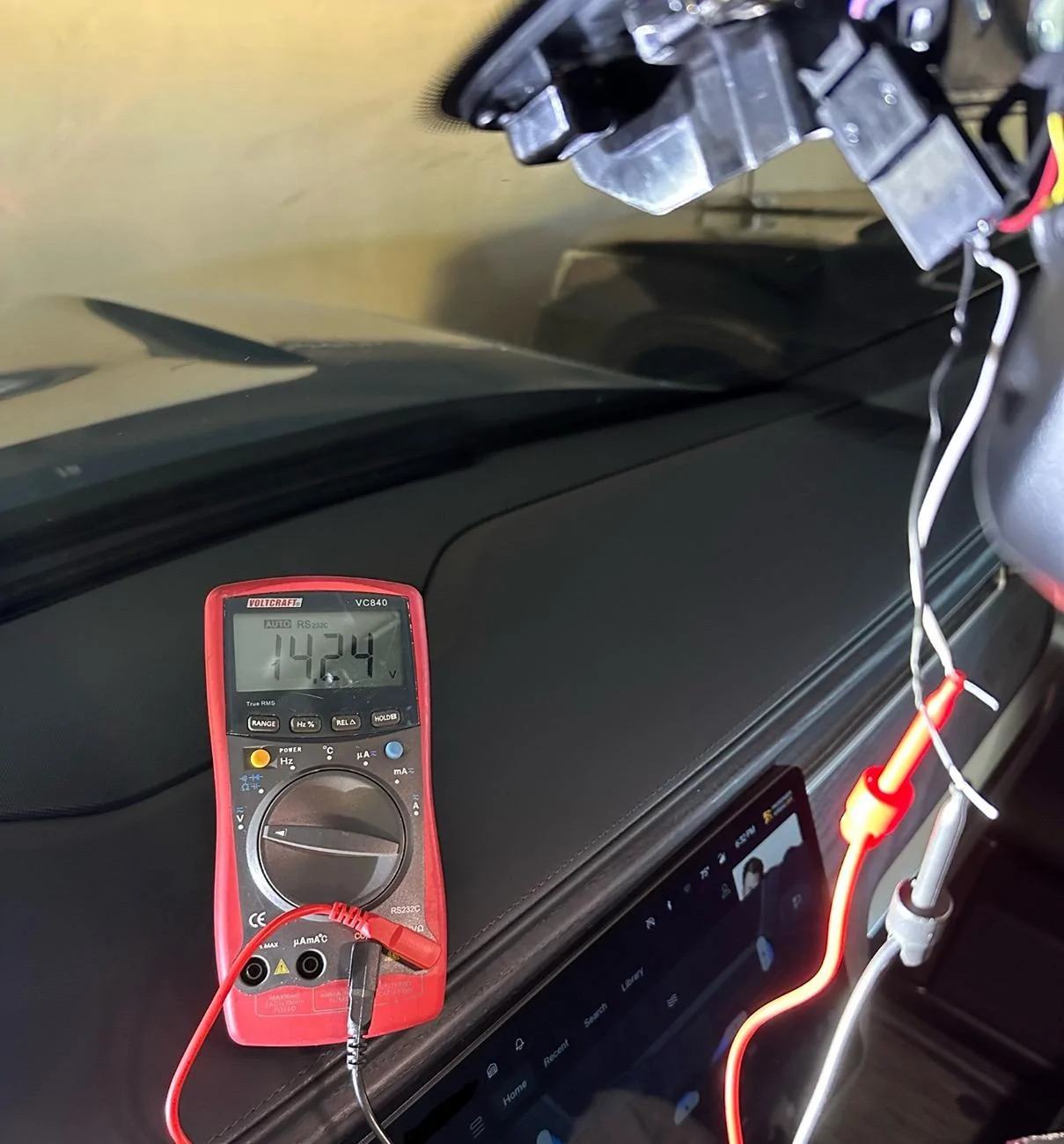
So today I tried tapping the mirror (directly from the power cable behind it) to connect my dashcam. I was able to power it up but to my surprise, the dashcam continued recording for more than 40min until I disconnected it. I left the vehicle, locked, nothing on the seats. I thought the power to the mirror gets cut off when the Rivian is “off”.

It looks like OP and others aren’t having this issue. So, I’m curious to know why, in my case, I get continuous power. If anybody could help.

Btw, the power coming from the cable that powers the mirror is about 14V as shown on the pic; if anybody was wondering.


Rivian R1T R1S Front + rear dashcam installed via  mirror tap (DIY tutorial) IMG_9014
 

Granolander

Active Member
Joined
Jun 14, 2024
Threads
0
Messages
27
Reaction score
2
Location
USA
Vehicles
Rivian R1S
Due to insurance scammers, terrible drivers (captured via my FIL's car the week after they took delivery), and criminals driving recklessly leaving a crime scene (was hit while waiting at a light in San Francisco), I've always been a stickler about having dashcams installed when driving.

Brought a dashcam with me when picking up my FIL's car earlier in the year and had it mounted even before we left the dealership. For our R1S, one of the first two items I ordered was the 90-degree angle adapter and a Samsung memory stick. Made sure it was installed and Drive Cam was running before I left the service center.

But due to the low resolution of the Rivian cameras as detailed by @opnwide in this extremely helpful thread, I always knew I would be adding an aftermarket camera to augment Rivian’s system.

Thanks to this helpful thread and @opnwide's video, I was able to jerry-rig a mirror-tap for the Viofo A139 Pro front + rear dashcam and run the rear camera wire cleanly to the liftgate. Below is a write-up of what I did, hopefully, you'll find it helpful.

Disclaimer: I'm not responsible for anything that happens to you or your property. Be careful when working with the trim pieces near airbags. And as always, watch out for live / hot wires.

Mirrortap:
Whereas radar detectors seem to have a number of mirrortap options, there doesn't seem to be an equivalent if you just want a USB-C connection. For other vehicles, I've mirrortapped with a Dongar adapter (not available for the Rivian, though I did wonder if another brand's 10-pin Type H would work) or tapped the fusebox. Due to reports of Rivian not using standard size fuses I zeroed in on the mirrortap option early on.

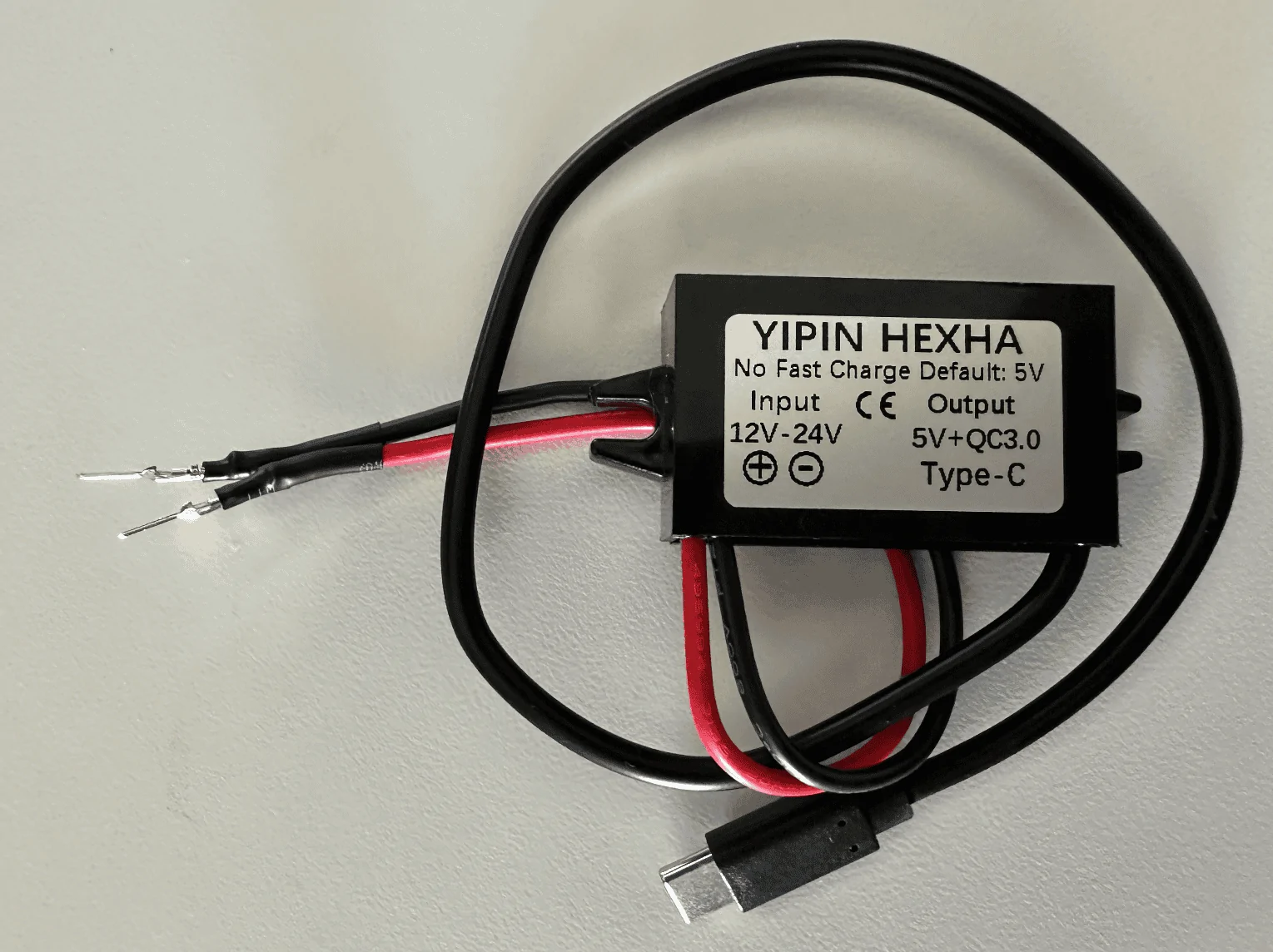
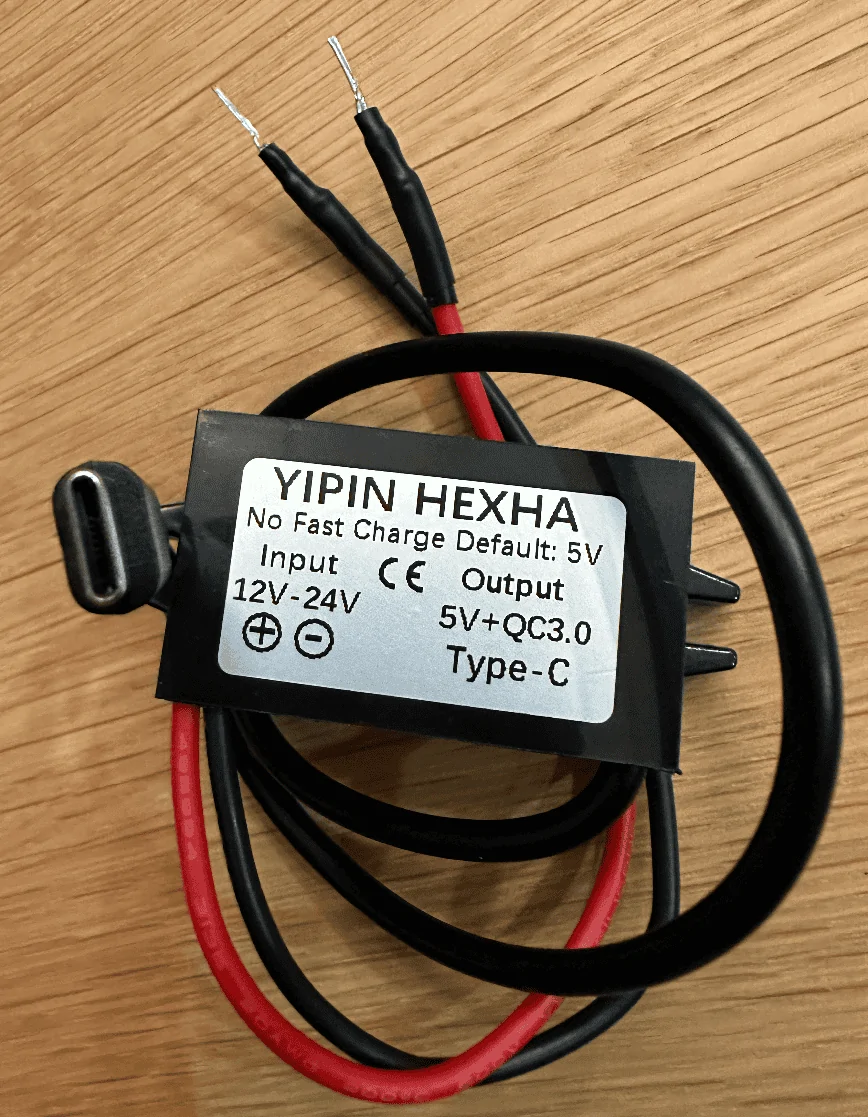
Used the following two items and some heat shrink tubing for my mirrortap:
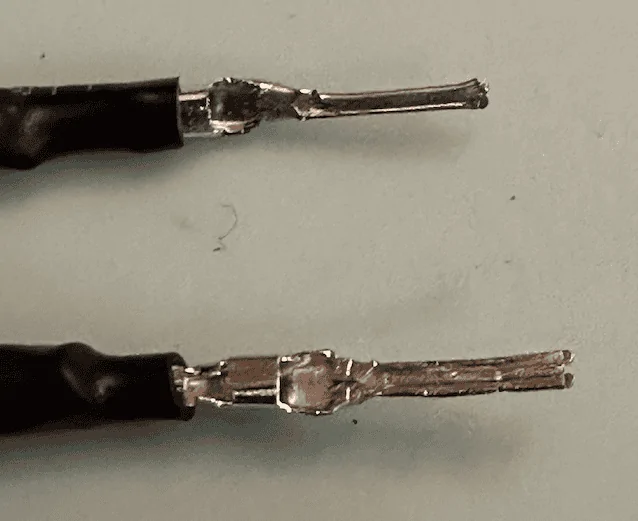
How everything looked like after I crimped the male connector to the buck module:
Screenshot 2023-08-27 at 11.16.01 PM.png


After some unsuccessful attempts at tapping the rear of the molex connector, I ended up flattening the pins:
Screenshot 2023-08-27 at 11.15.40 PM.png

Screenshot 2023-08-27 at 11.41.16 PM.png


Tapping the mirror assembly:
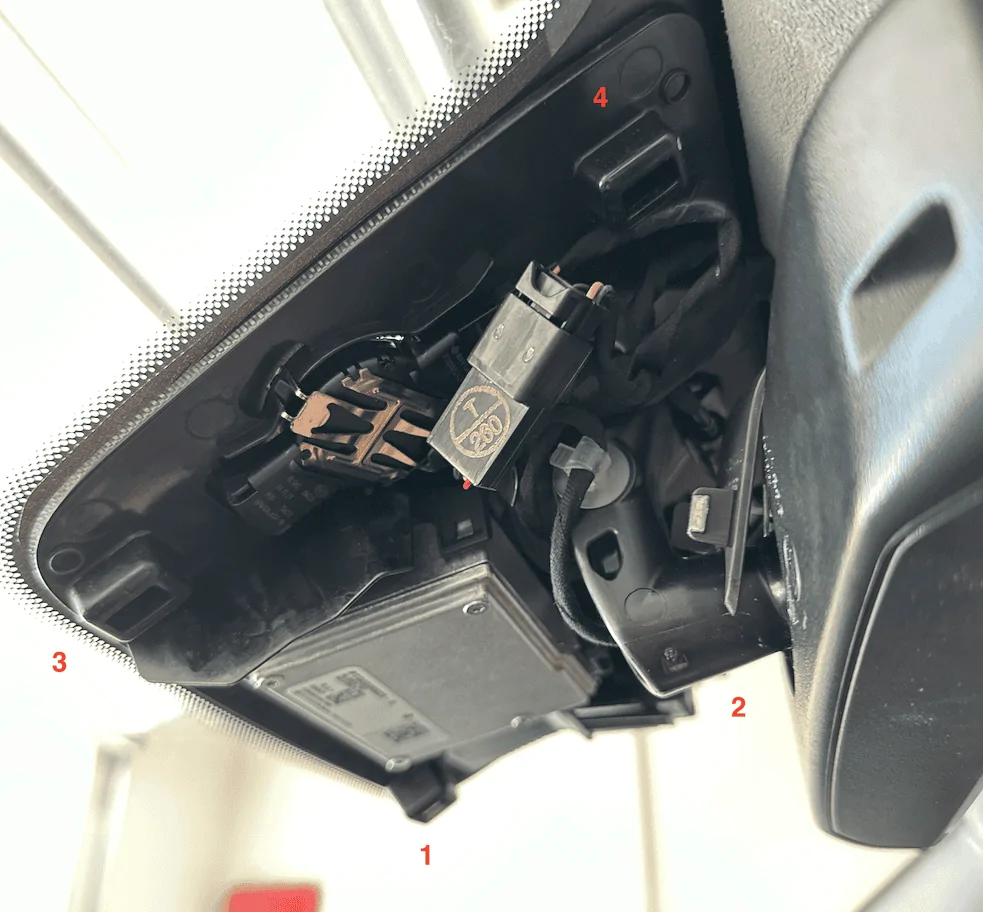
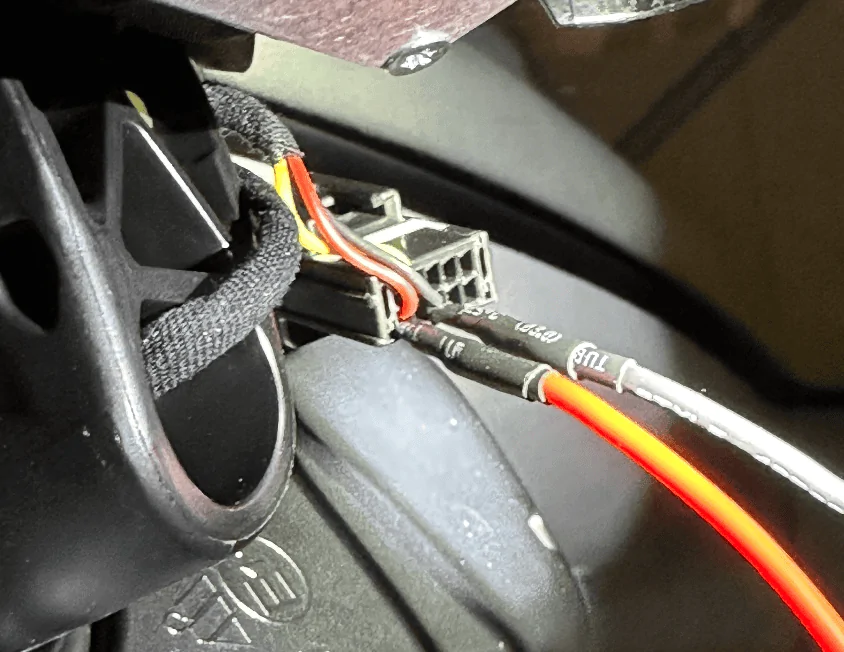
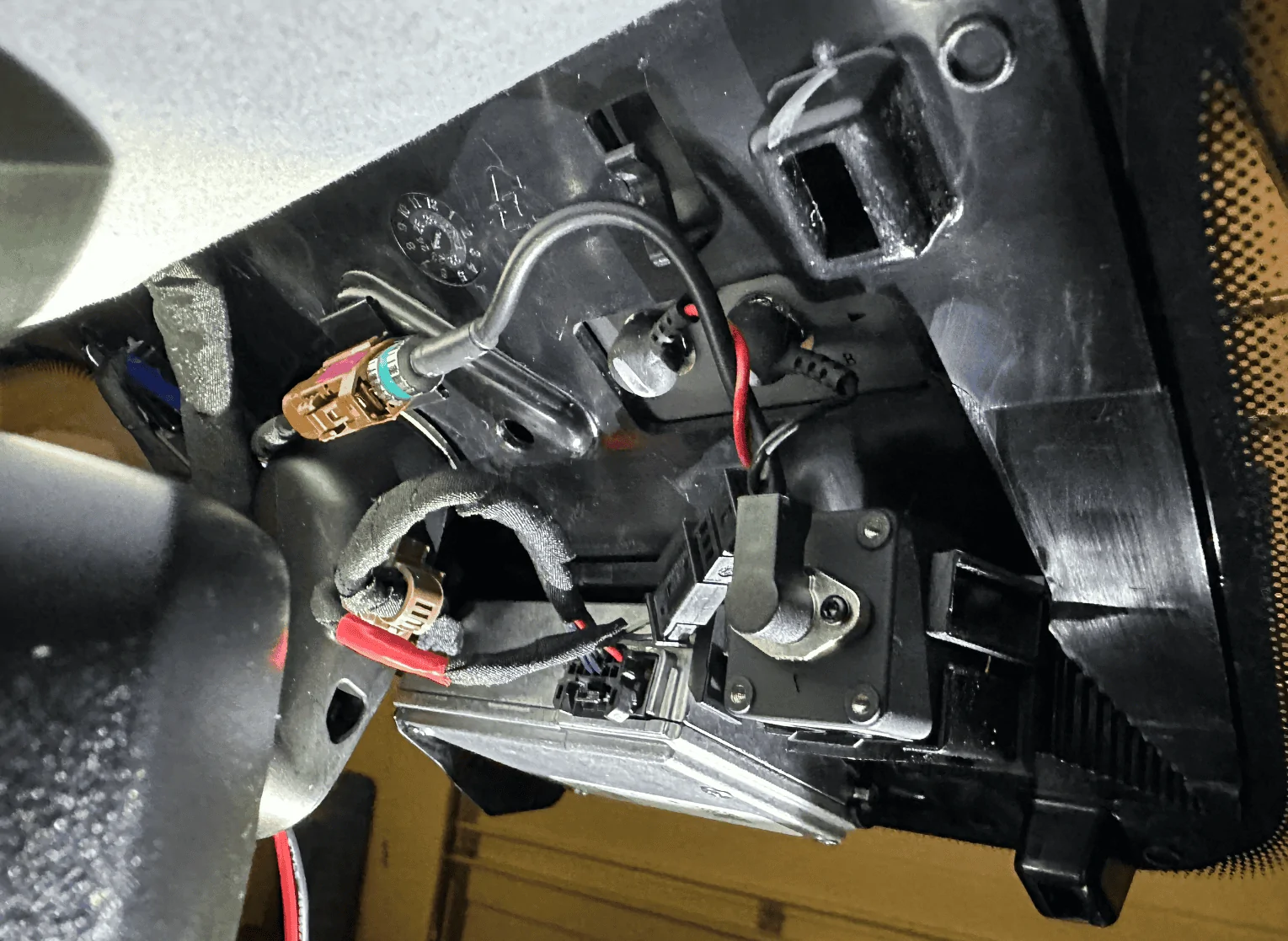
Using a pry tool, I would suggest removing the housing cover in the order as labeled in the photo. The passenger side has more room to work with. Note that the front of the enclosure has a cut out which might make it more prone to damage, so I would suggest focusing on prying from the side. In this view, you can clearly see the molex connector you'll be tapping (labeled T / 260). Note that there have been numerous reports of the mirror falling off so just be careful when working in this area.
Screenshot 2023-08-27 at 11.22.25 PM.png


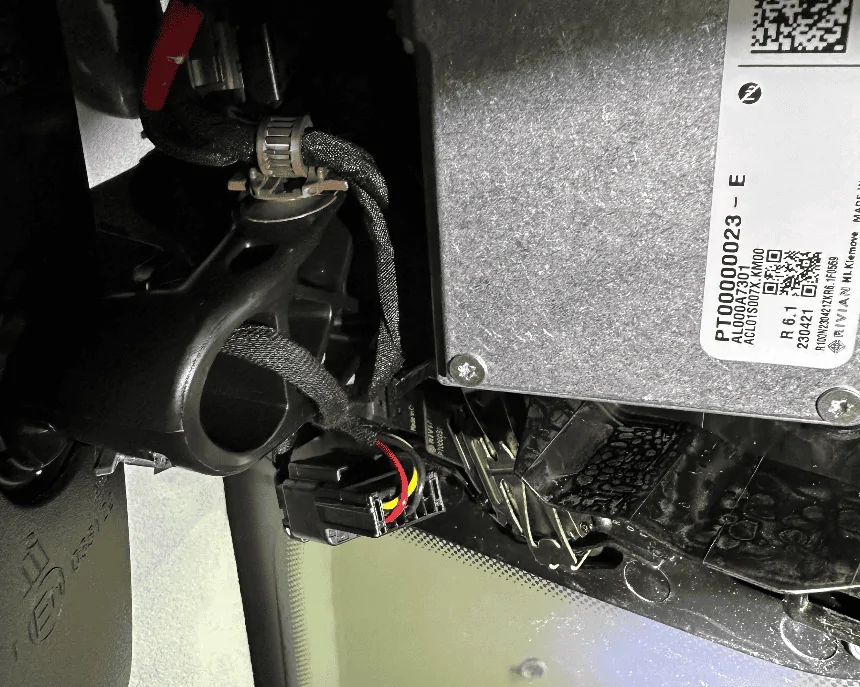
Better shot of the back of the connector we'll be tapping, if the yellow wire is overlapping, disconnect the connector and reorient it so you get as clean of a setup as possible:
Screenshot 2023-08-27 at 11.26.07 PM.png


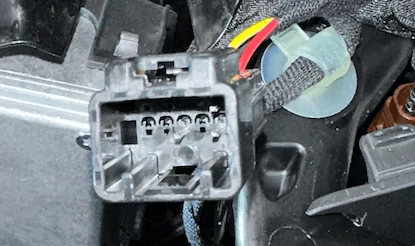
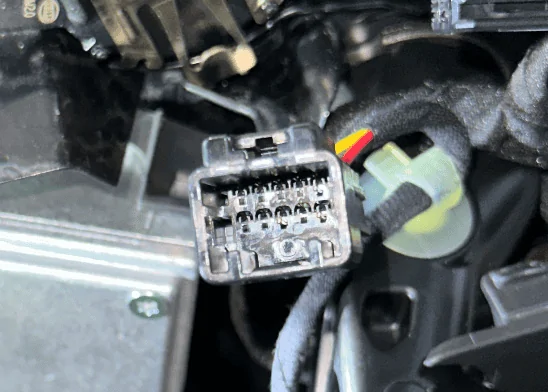
If Dongar or anyone else wants to offer a productized connector, here's what the connector looks like, there are a few 10-pin connectors used by the other car manufacturers, wasn't sure which mapped closest to the one Rivian uses:
Screenshot 2023-08-27 at 11.30.02 PM.png
Screenshot 2023-08-27 at 11.31.27 PM.png


Tap red to red and black to black, you might need to attempt it a few times to get it seated correctly and drawing power:
Screenshot 2023-08-27 at 11.34.04 PM.png


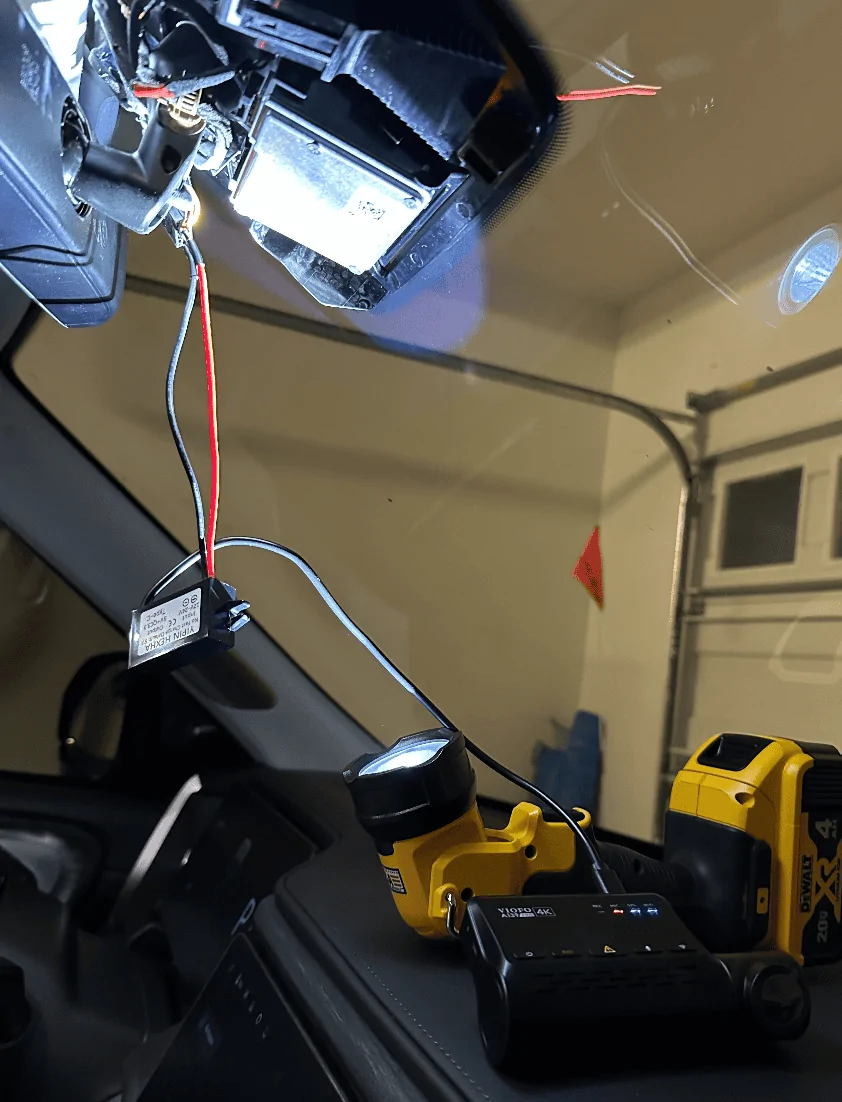
Test your connection to make sure everything is working as expected:
Screenshot 2023-08-27 at 11.35.14 PM.png


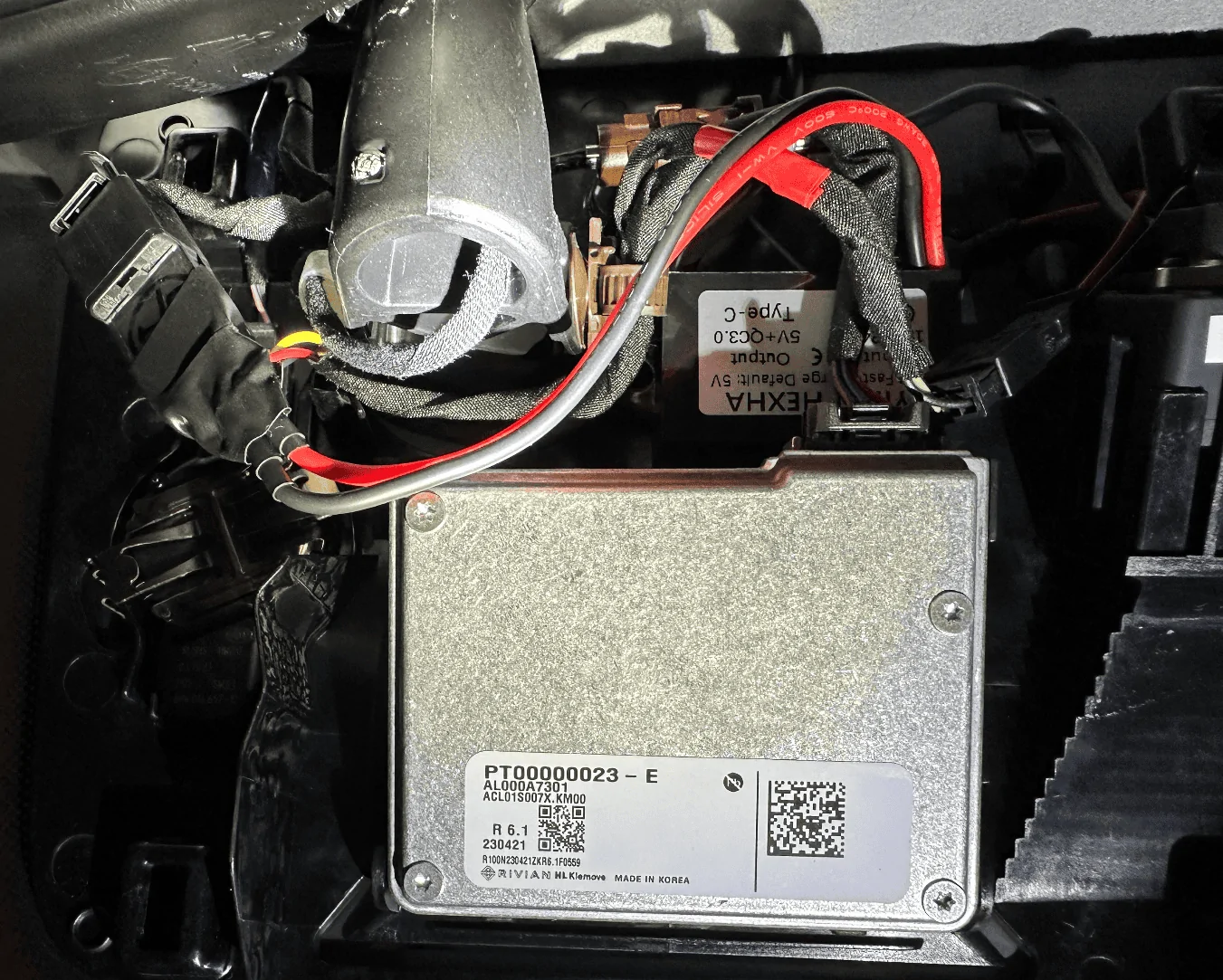
This is what the mirror housing looks like, there's a nice little void in the middle but don't touch the silver box, it's hot!
Screenshot 2023-08-27 at 11.36.30 PM.png


Buck module all tucked in, also used some extra electrical tape around the molex tap to make sure it doesn't get unseated accidentally:
Screenshot 2023-08-27 at 11.38.05 PM.png


Now just route the USB-C wire up towards the roof and reattach the housing cover when you feel like everything is working as expected. Onto the next step.

Wiring up the rear camera:
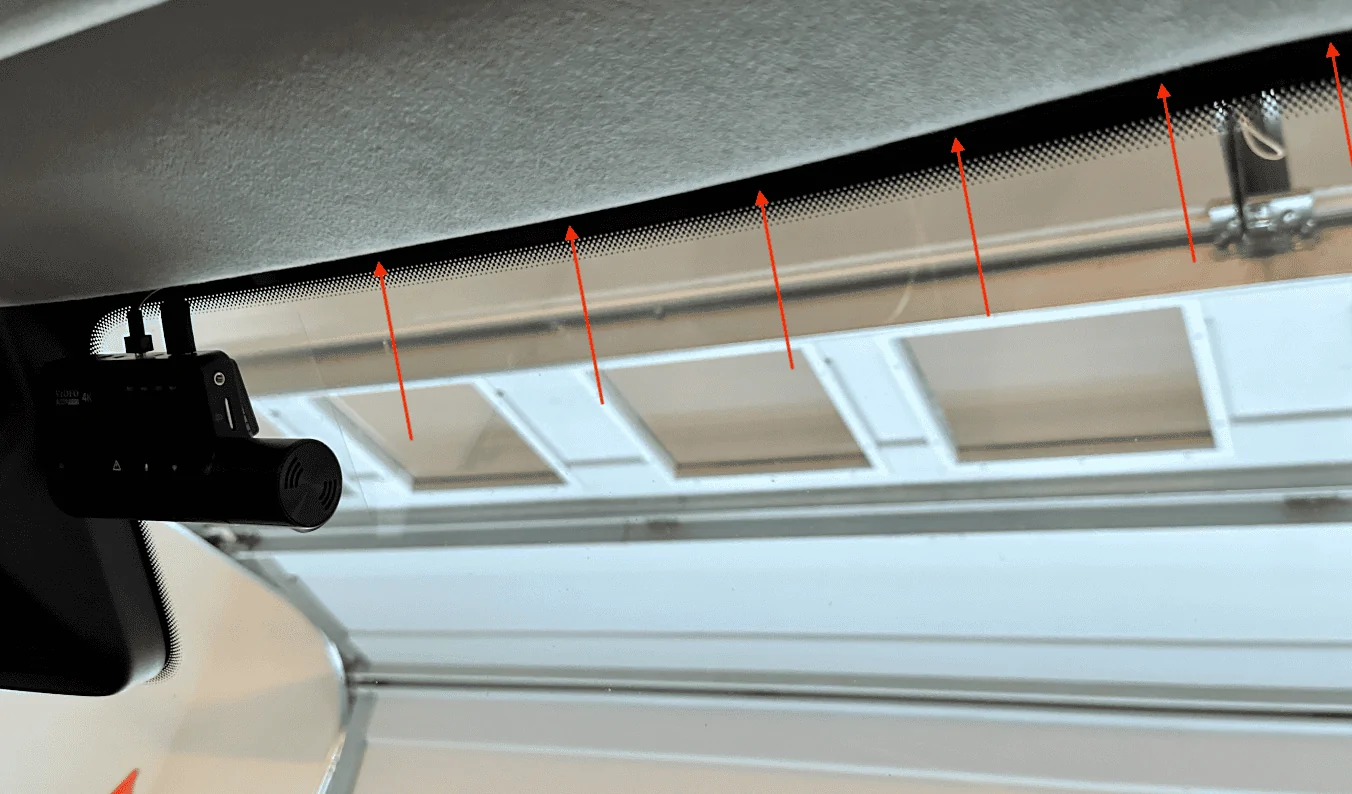
The process is super easy in the front and gets tougher as you work your way towards the rear. There's plenty of room at the top of the windshield so just run the cable until you hit the A-pillar:
Screenshot 2023-08-27 at 11.43.32 PM.png


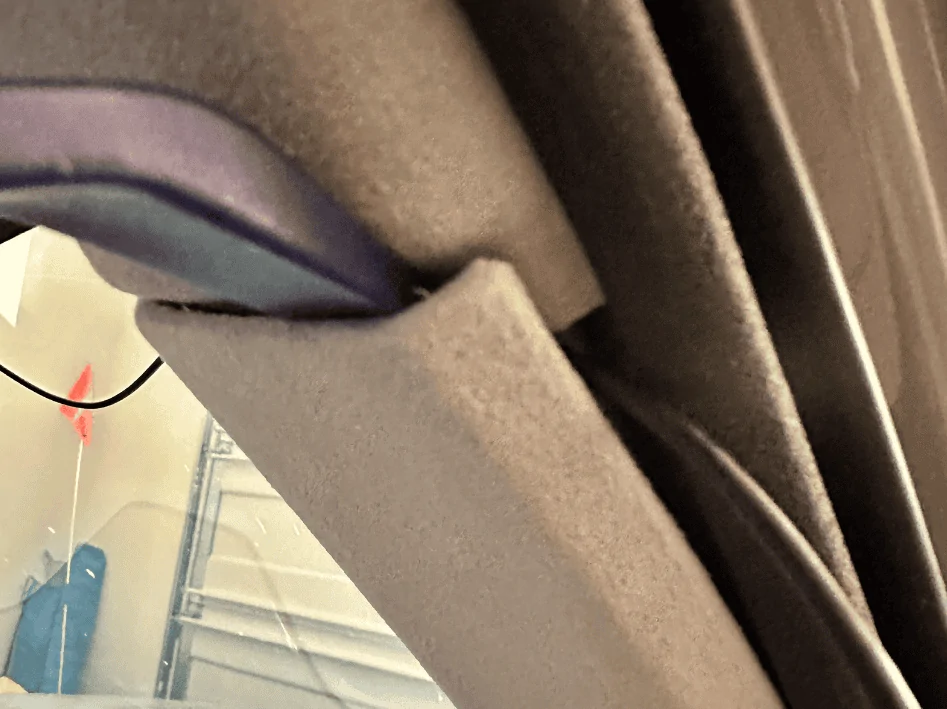
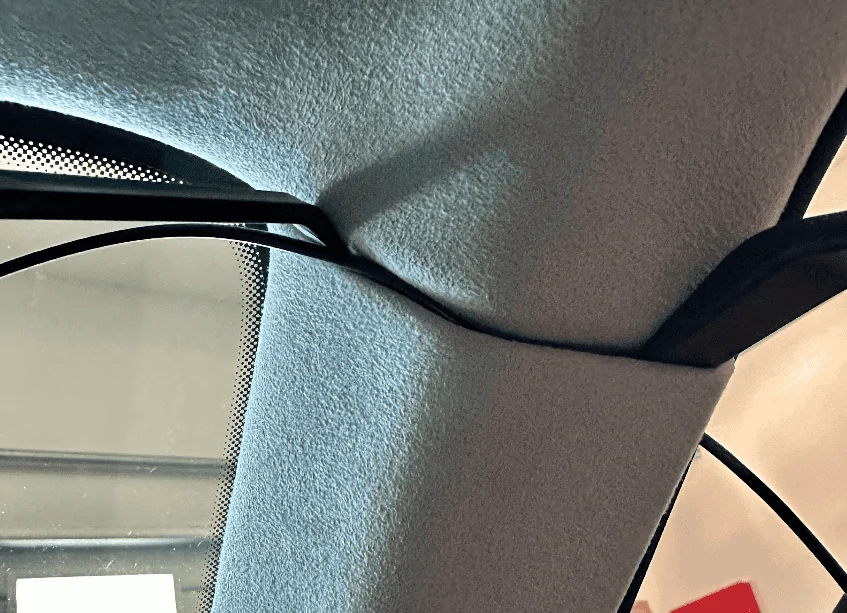
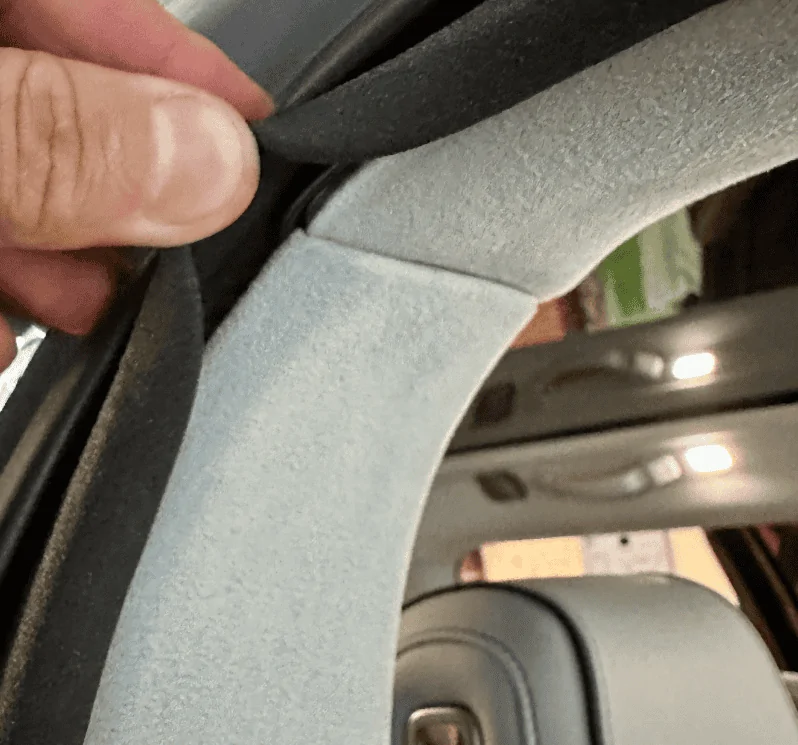
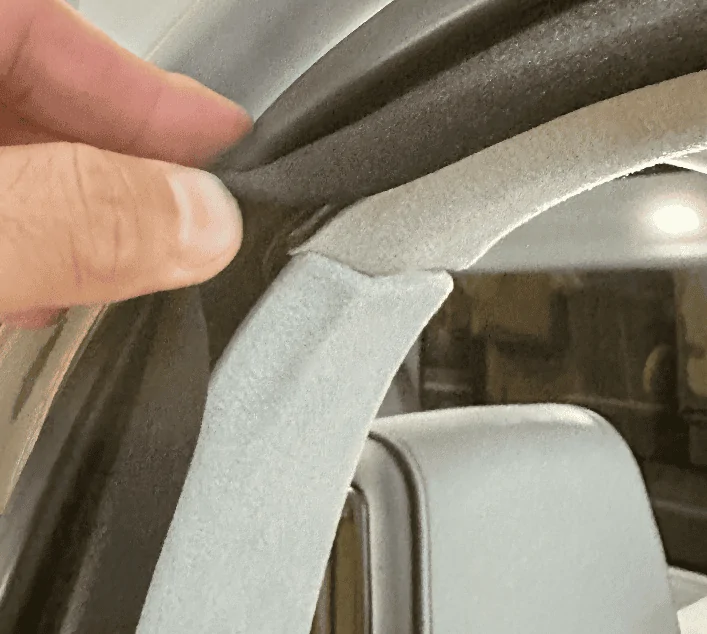
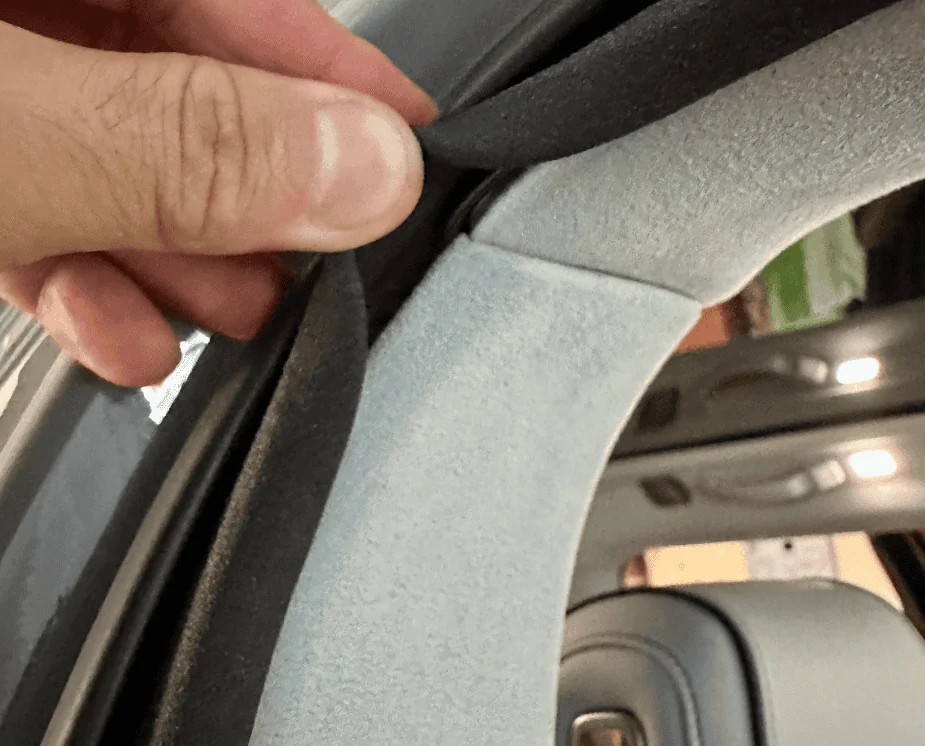
For all trim pieces, prying from under the weather seal makes life a little easier. At the A-pillar, lift up the seal and pry from there, you'll get plenty of leverage and will be able to open a large cavity to run the wire through.
Screenshot 2023-08-27 at 11.46.39 PM.png

Screenshot 2023-08-27 at 11.46.27 PM.png


Once the cable is deep behind the trim piece, run it up along the door seal to the B-pillar:
Screenshot 2023-08-27 at 11.51.17 PM.png


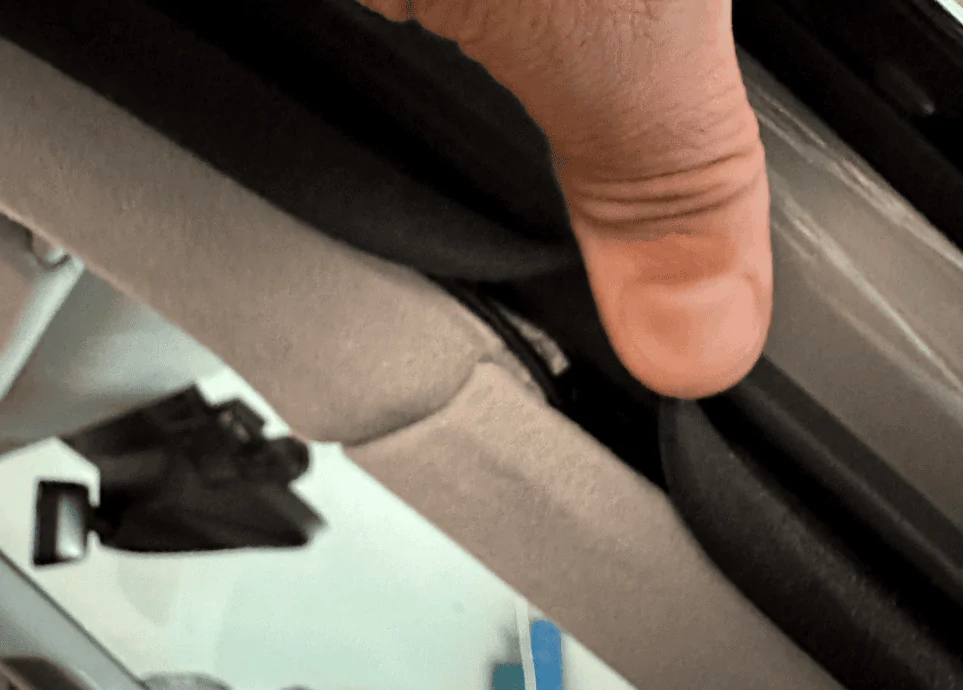
At the B-pillar, again work from the portion underneath the weather seal, I found that the bottom piece was easier to pull out than the top piece. You won't be able to pry the trim out as far as the A-pillar but it'll be enough to get the wire behind it. Once you've gotten the wire deep behind the B-pillar trim piece, run it up along the door seal to the C-pillar.
Screenshot 2023-08-27 at 11.53.40 PM.png

Screenshot 2023-08-28 at 12.23.26 AM.png


The C-pillar was similar if not a little tougher than the B-pillar, follow the same steps. Focus on the bottom trim piece and pulling from under the seal:
Screenshot 2023-08-27 at 11.56.04 PM.png

Screenshot 2023-08-28 at 12.23.47 AM.png


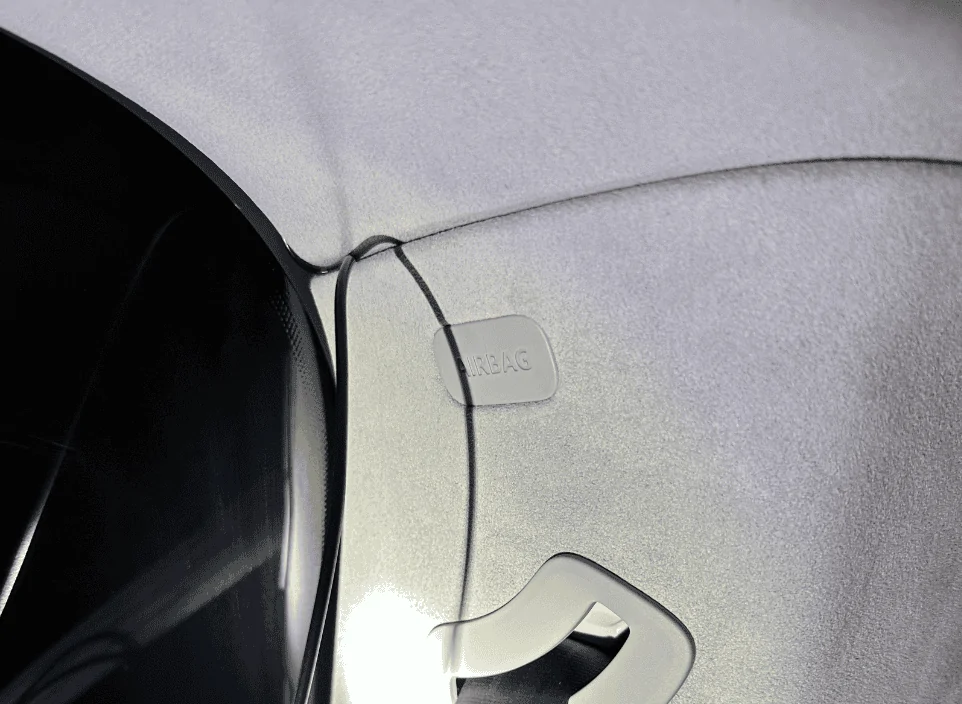
Run the wire up along the top of the rear passenger side window pane similar to what you did at the windshield. Then at the back of the R1S is where things get real fun. Note the airbag here.
Screenshot 2023-08-27 at 11.58.08 PM.png


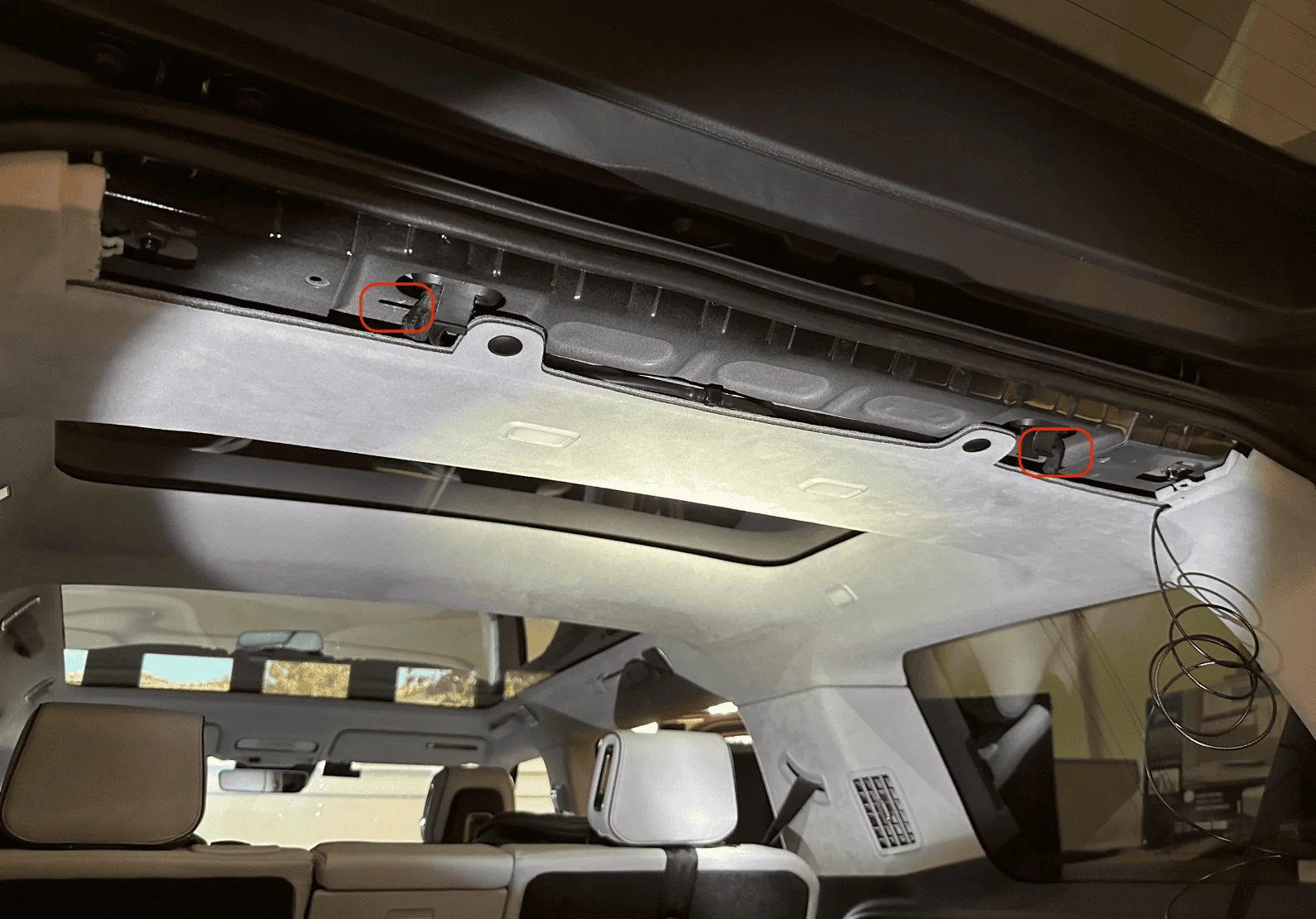
Remove the rear's top trim piece. There are two plastic tabs (circled in red) you'll need to be careful with, two more plastic tabs are towards the back that I found relatively easy to pull down, and the rest of the mounting points are just magnets:
Screenshot 2023-08-27 at 11.58.42 PM.png


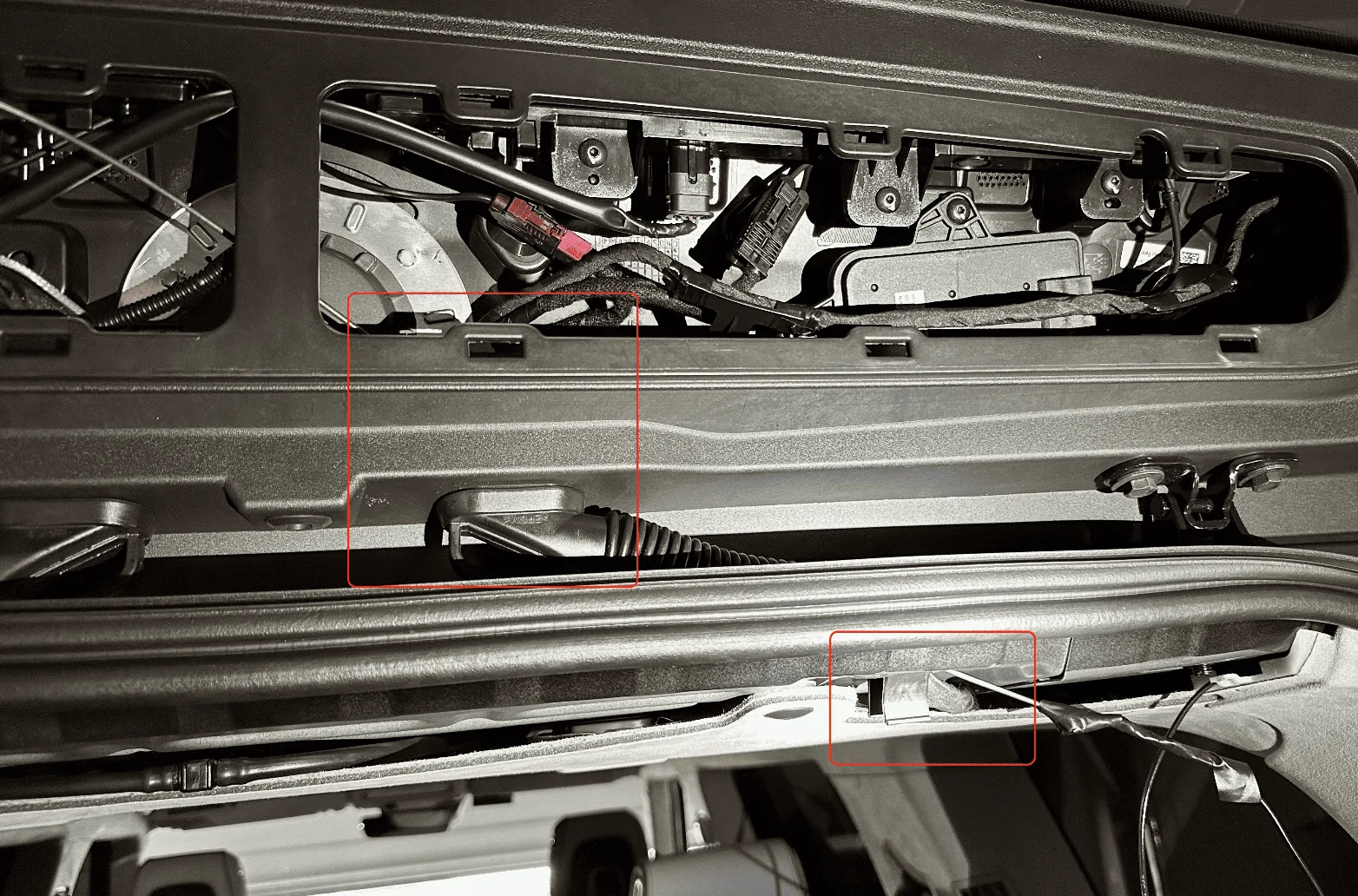
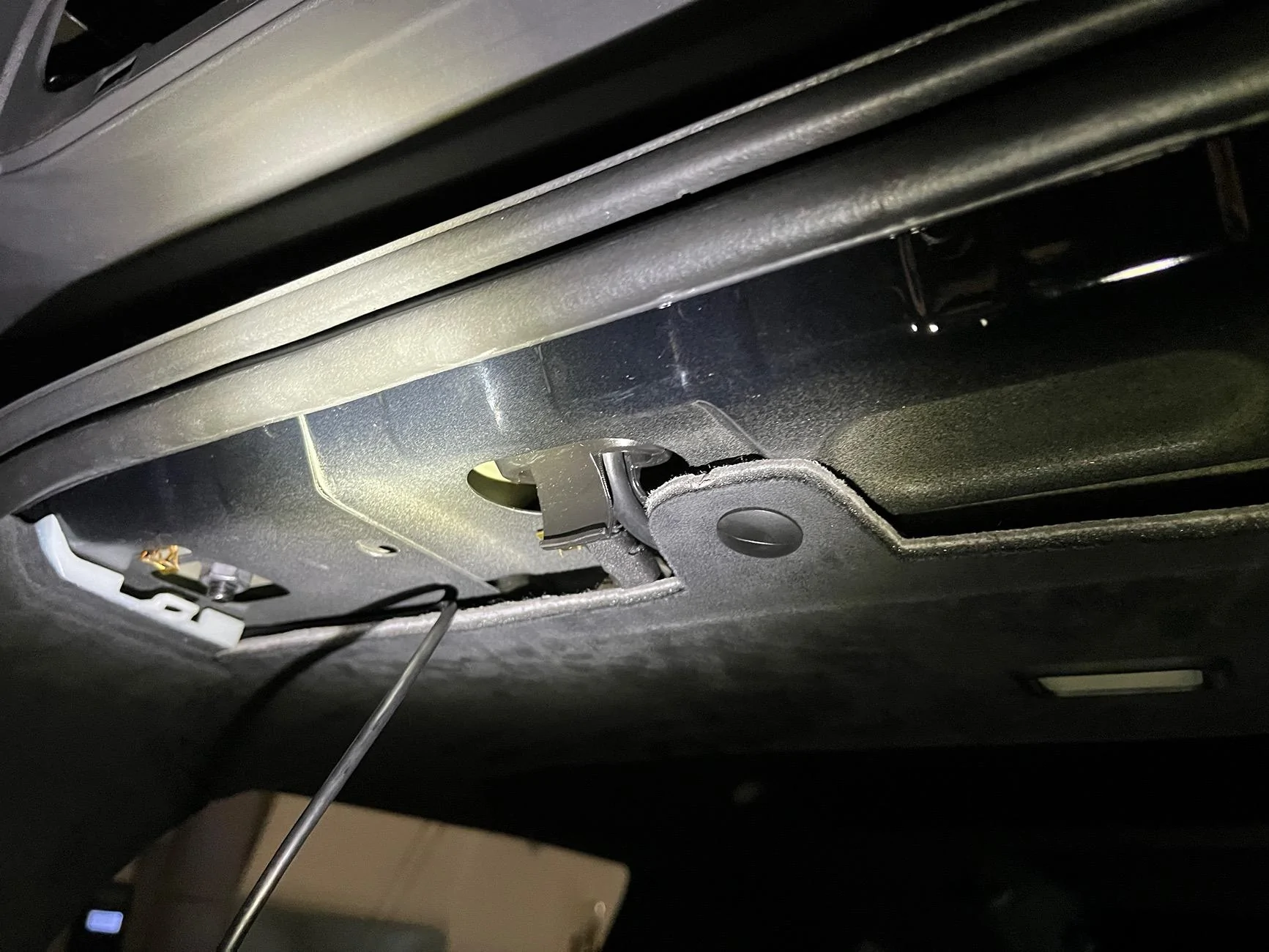
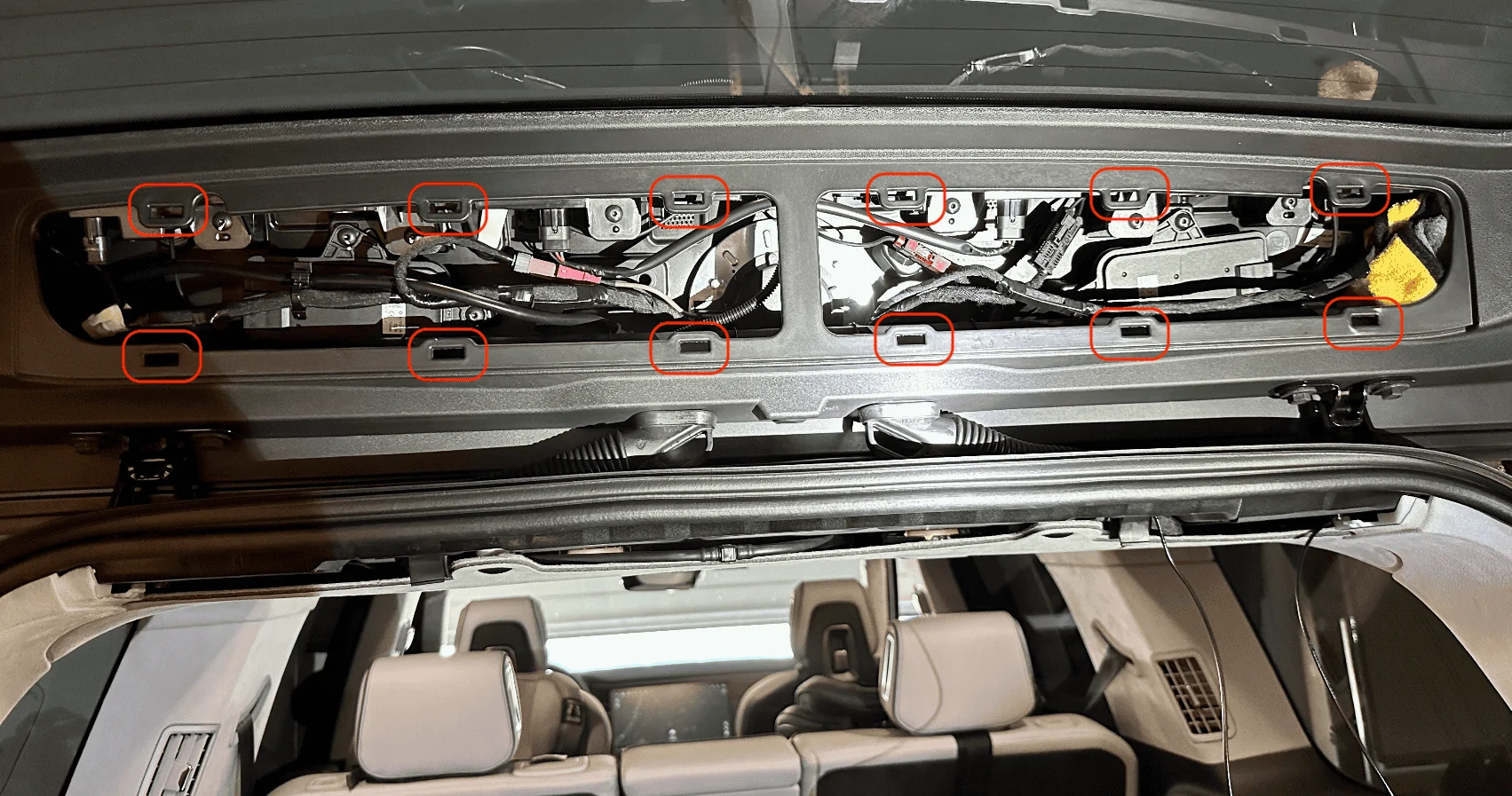
The opposite plastic trim piece on the liftgate will also need to come out, this one was the most difficult. I pulled a few plastic tabs off by accident and one of them even fell into a crevice which required a ton of patience and tweezers to pull back out. There are a dozen tabs. I started on the right bottom with a pry tool which caused the white plastic tab to fly off and into the crevice pictured in the next photo. Tip: After you get the bottom ones off, take an extra long flathead screwdriver and push against the two outer pins of the white tab for the ones at the top, it'll make it easier to dislodge those tabs:
Screenshot 2023-08-28 at 12.00.51 AM.png


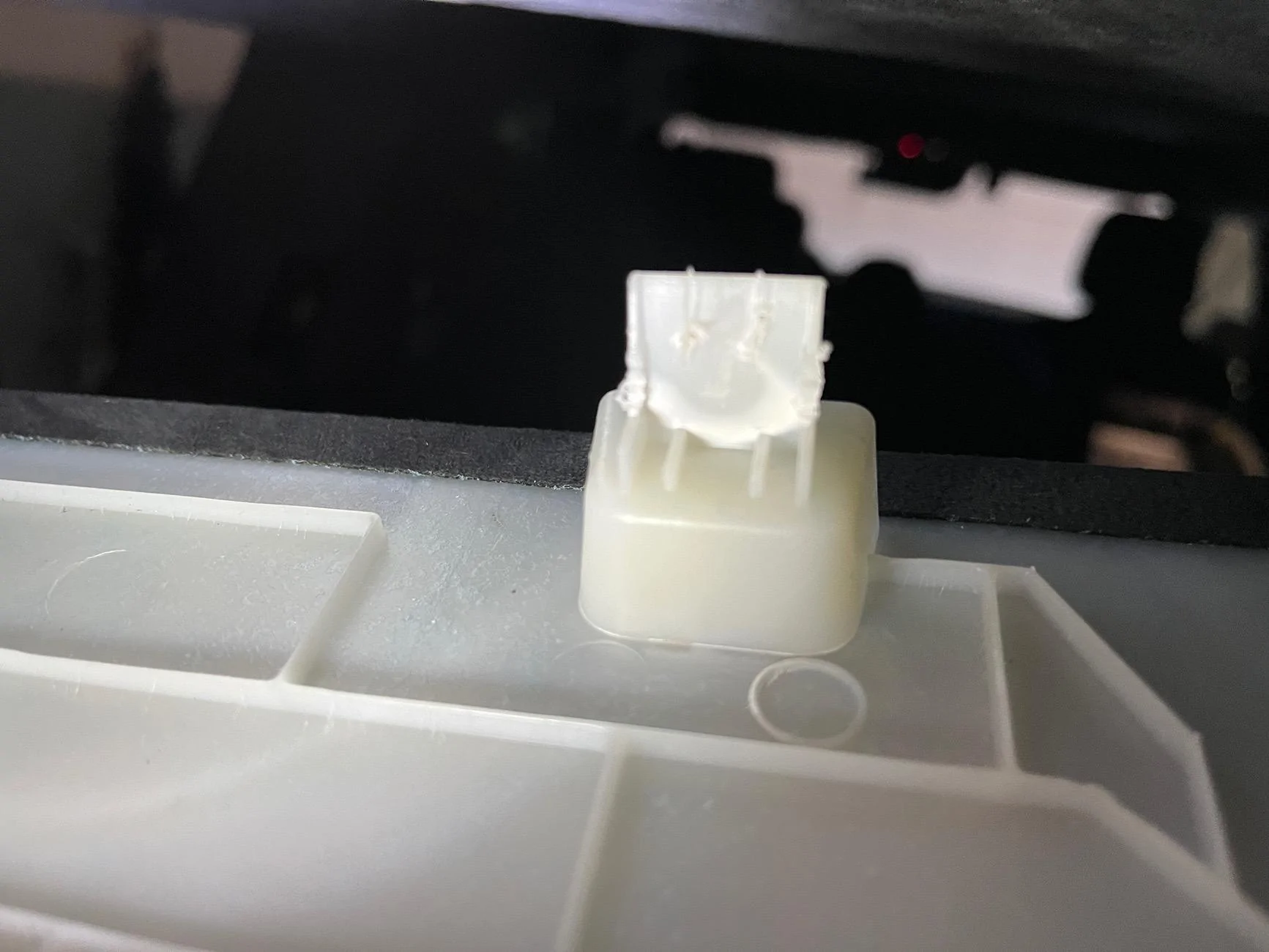
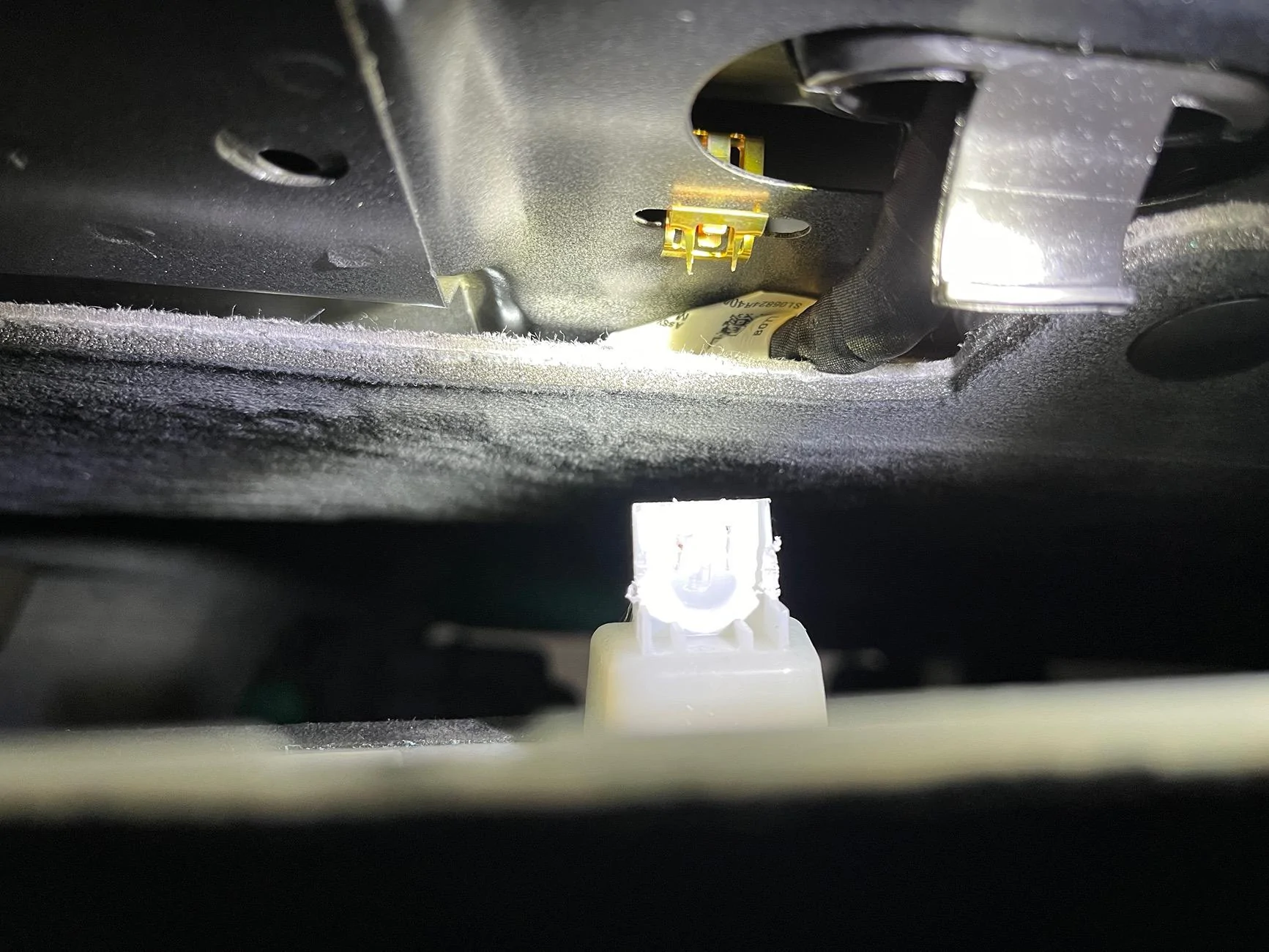
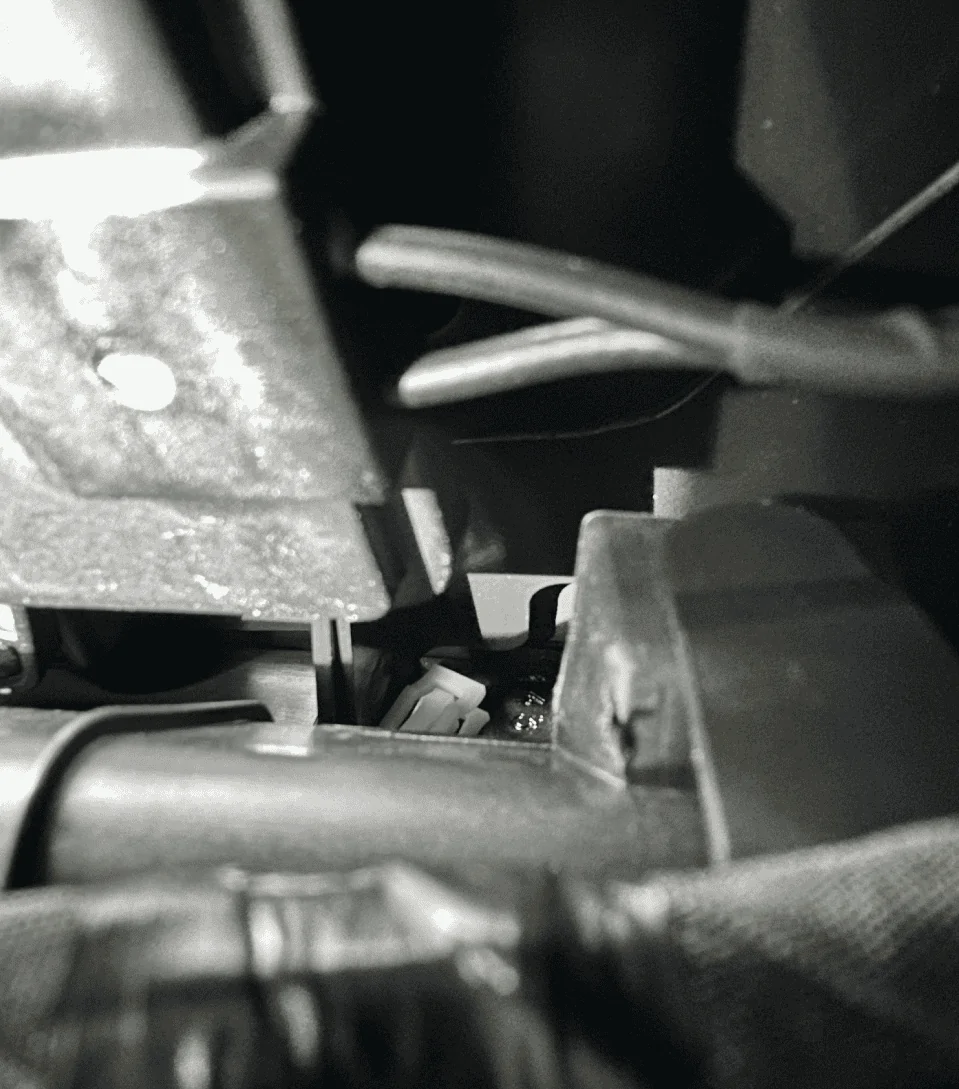
One of the missing plastic white tabs which I probably wasted 20-minutes retrieving:
Screenshot 2023-08-28 at 12.03.59 AM.png


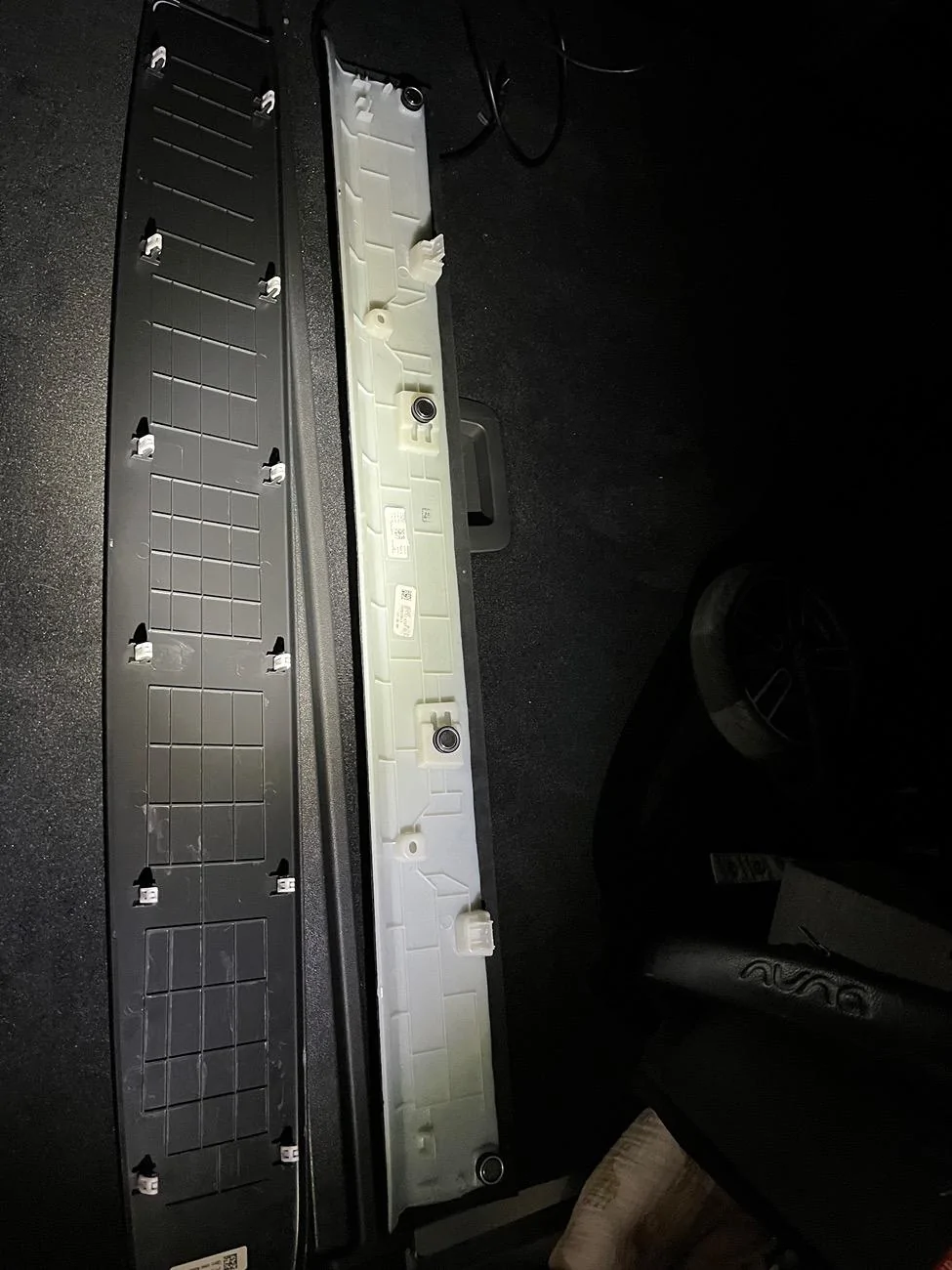
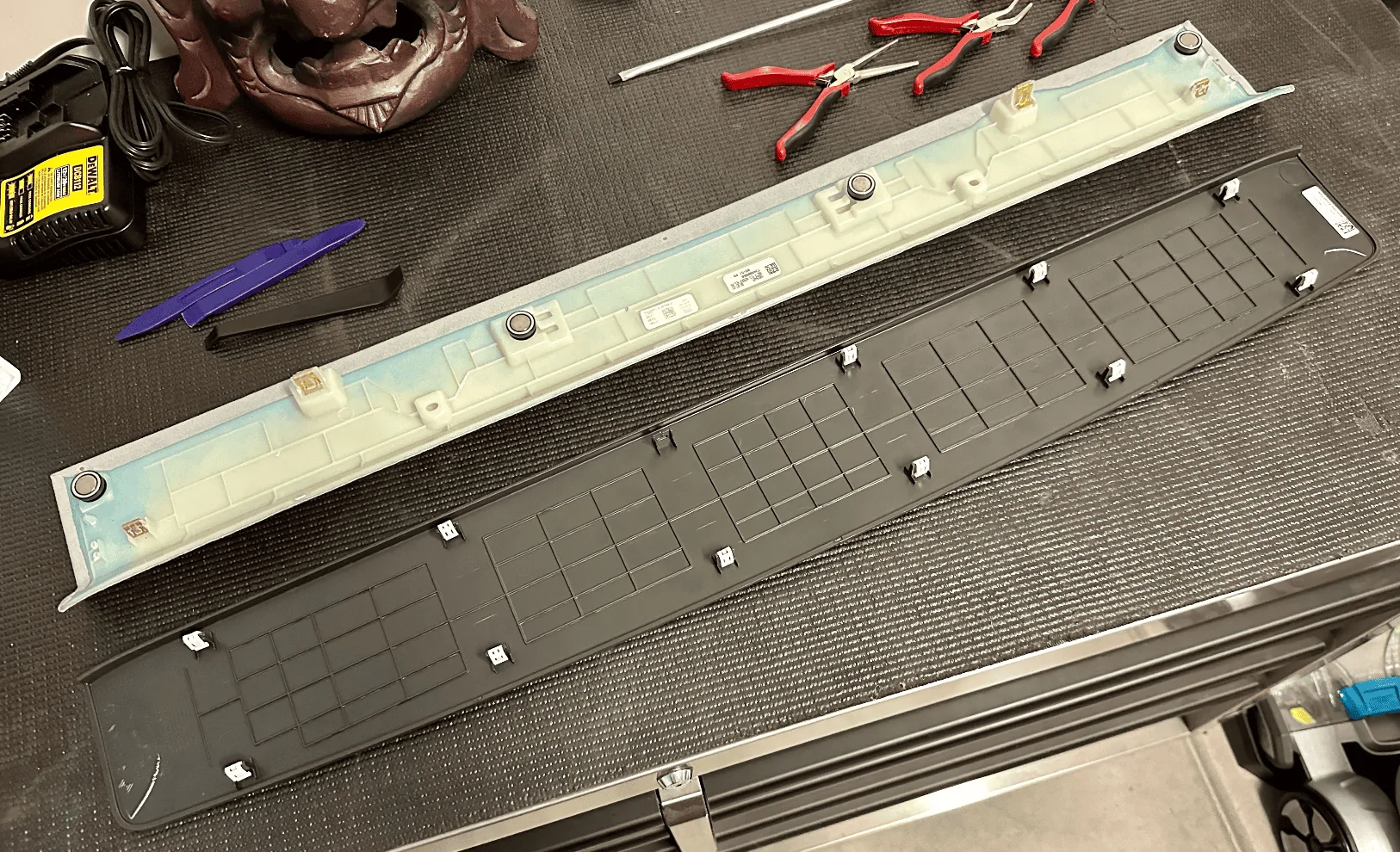
The two removed panels for your reference:
Screenshot 2023-08-28 at 12.09.29 AM.png


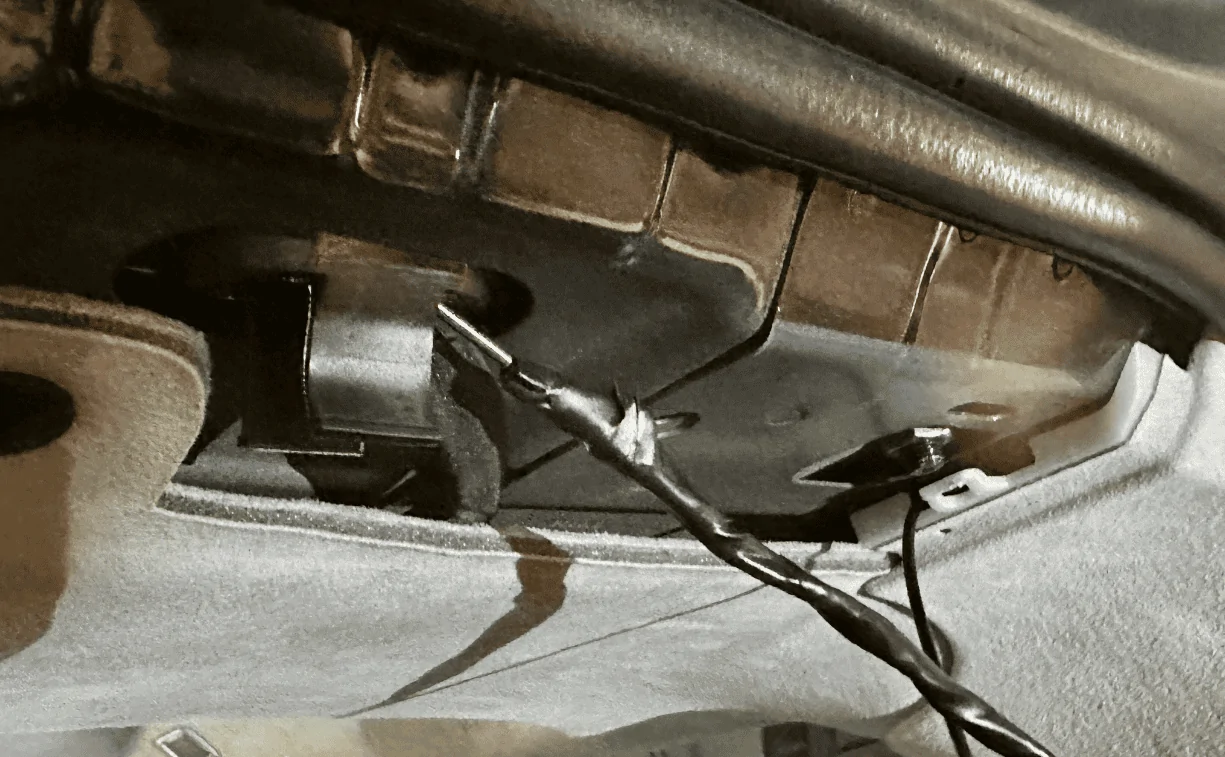
Next, shape a coat hanger to align with the path of the rubber cable housing as possible, push down into the housing, and try to thread the metal wire through to the other opening. You might need to forcefully move the existing cables in the housing around to give the wire some room to run through, it's really tight in there. Once you are through to the other end, tape up the cable/wire you need to run and fish it back through. I had to do this twice as the first time it got stuck and I ended up pulling the coat hanger out without the cable.
Screenshot 2023-08-28 at 12.11.43 AM.png


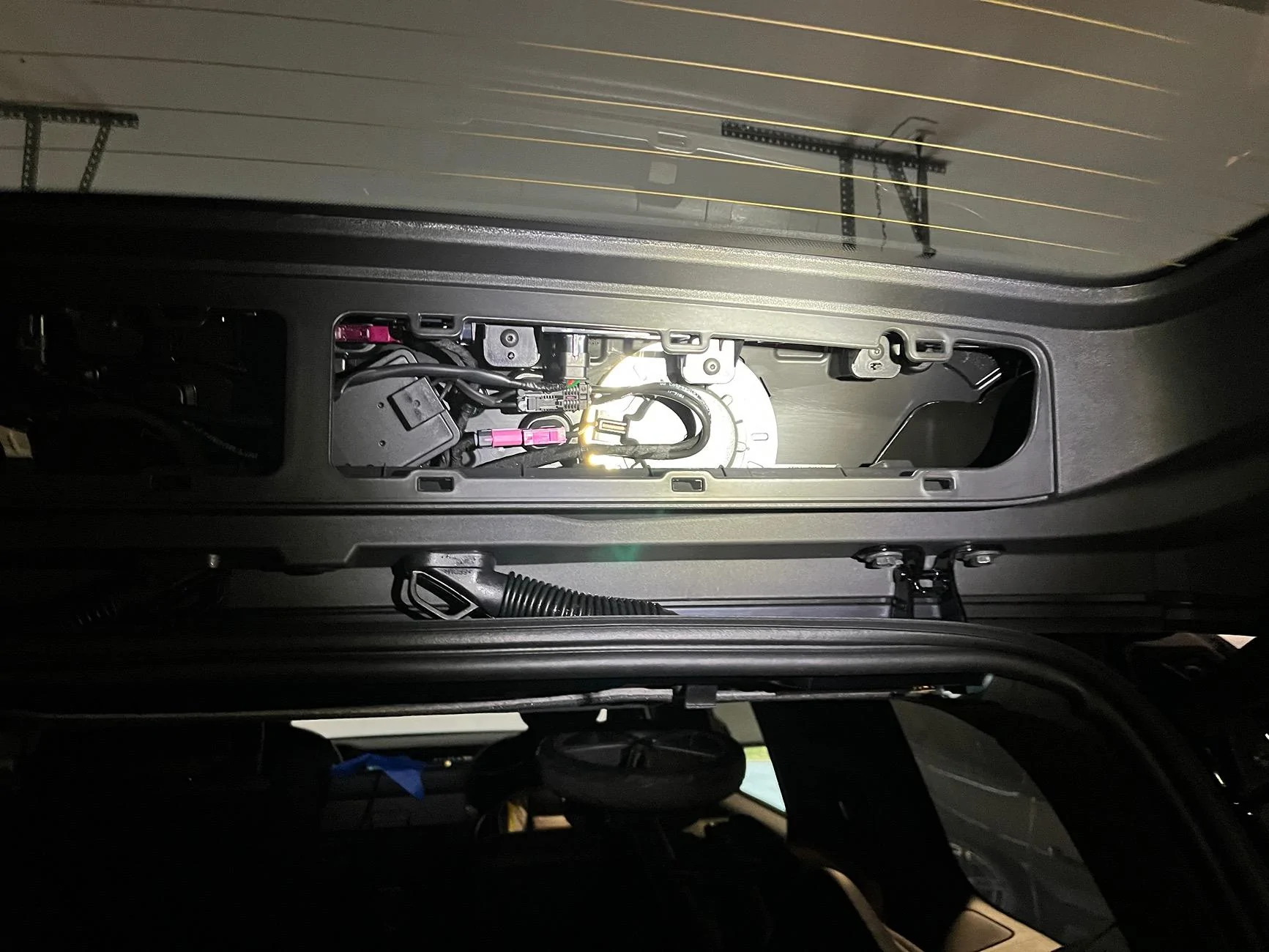
A better view of the bottom of that cable housing along with where the rear camera cable is coming out of the D-pillar:
Screenshot 2023-08-28 at 12.16.04 AM.png


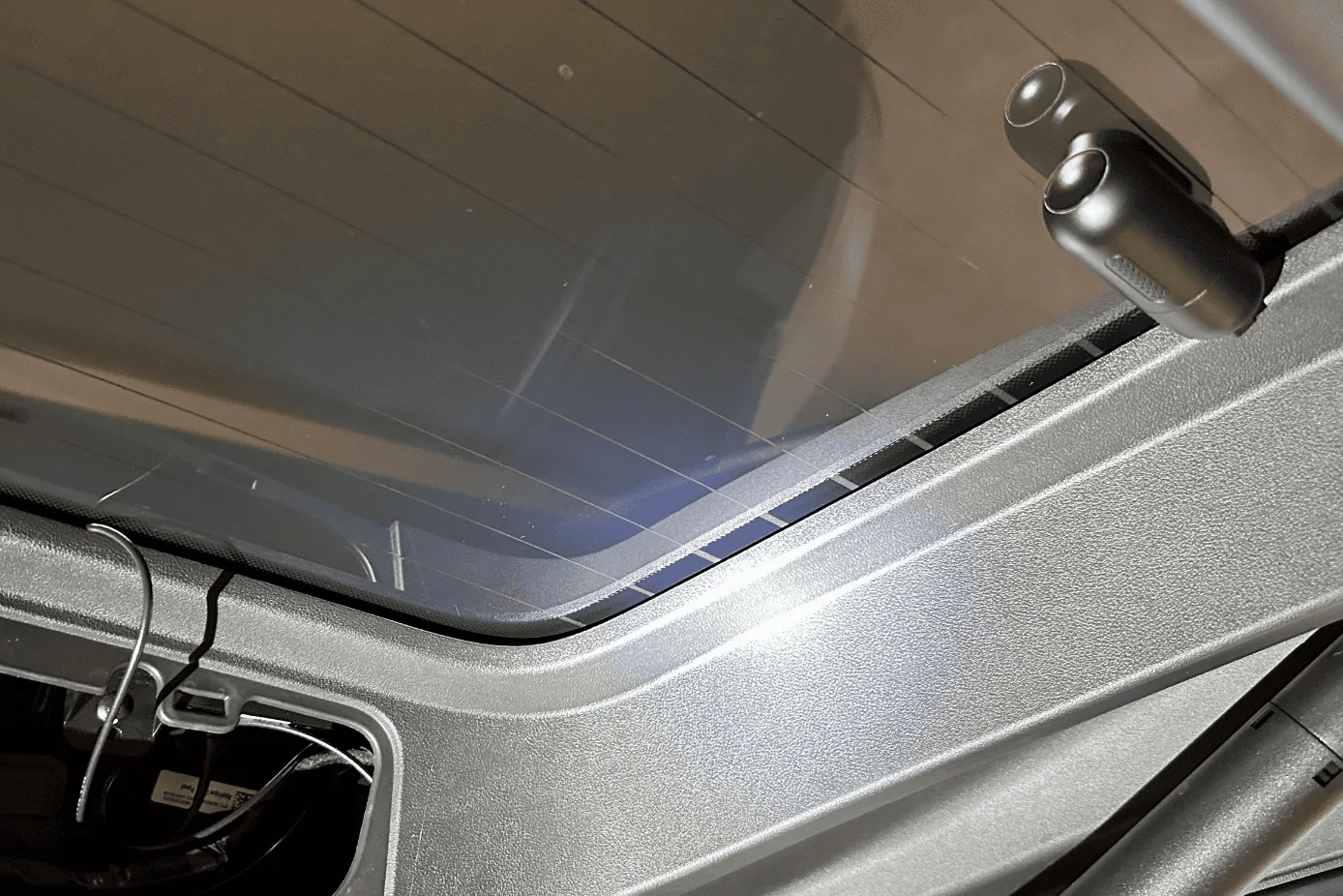
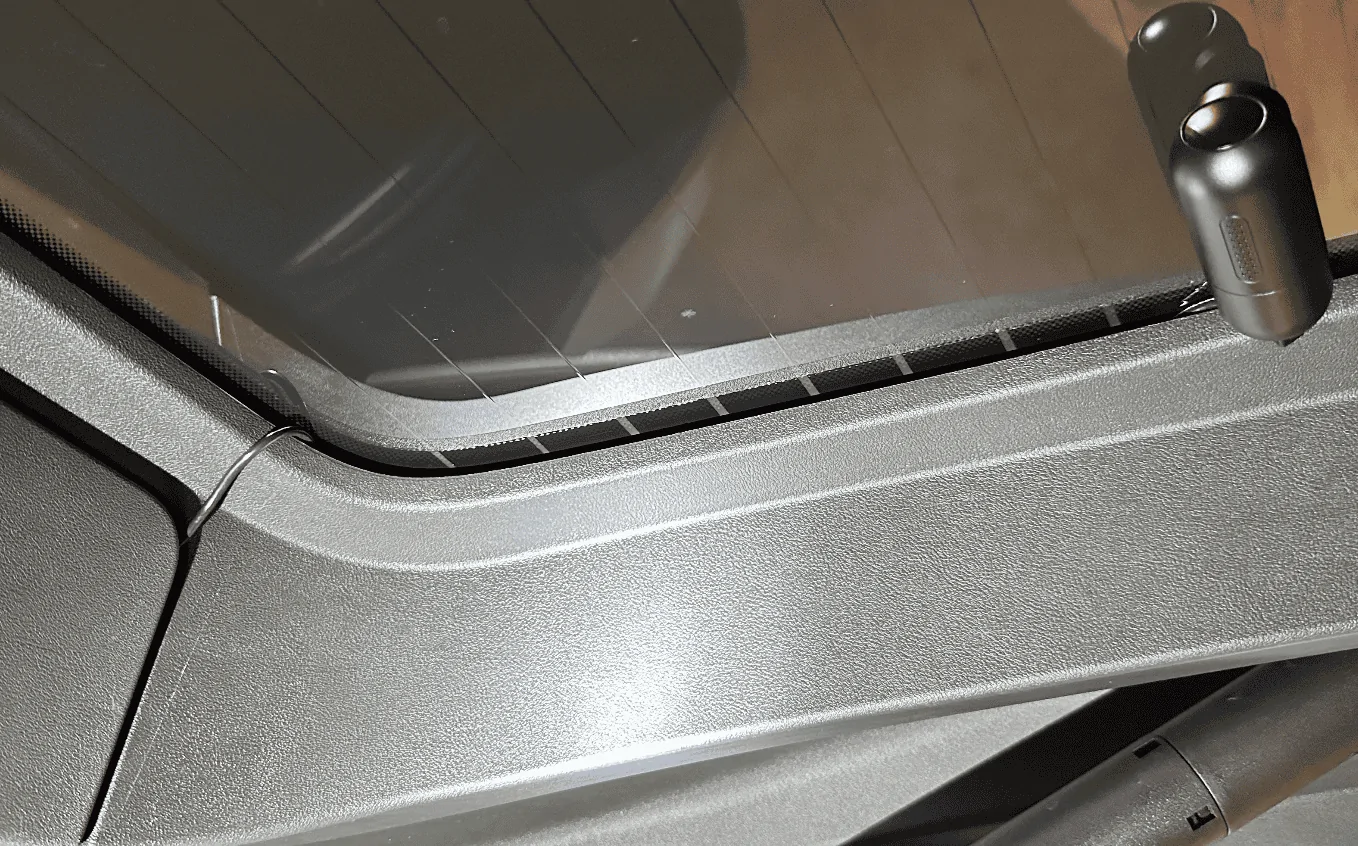
Once the wire was fished through, I ran it out of the top right corner of the liftgate and tucked the cable along the edge of the rear window. I positioned the camera towards the bottom above the two tightly spaced defroster grid lines:
Screenshot 2023-08-28 at 12.17.35 AM.png


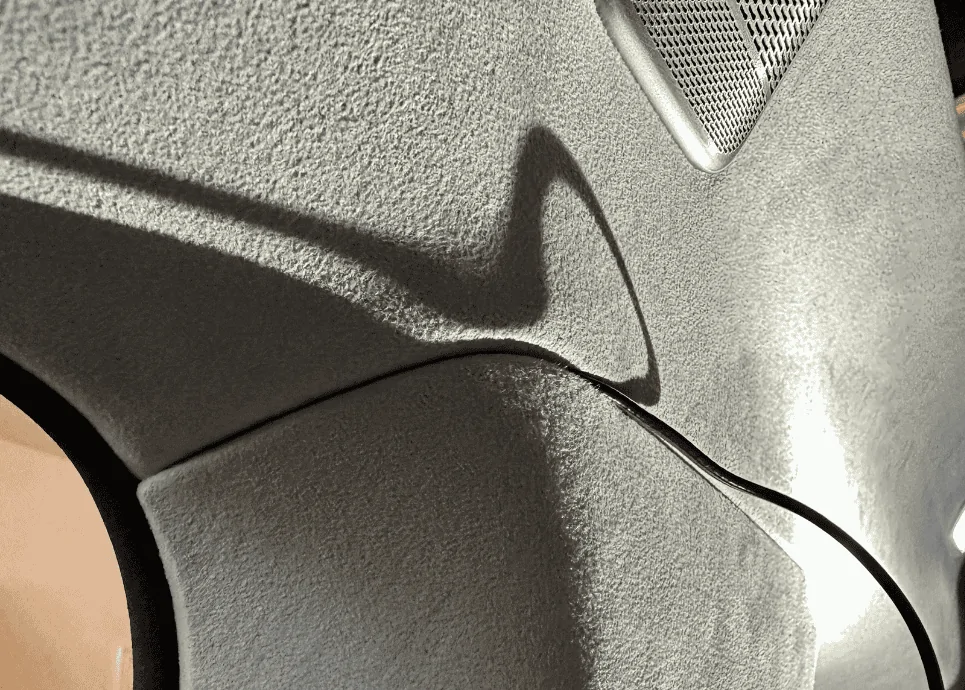
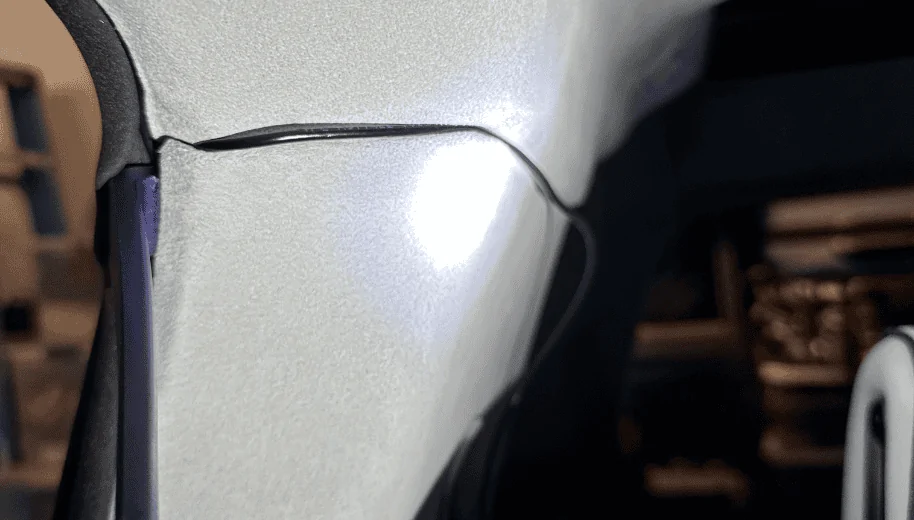
One thing I'll need to do but forgot until I snapped the trim back in place was to notch out a small hole so that the cable can run cleanly out. As you can see from the photo below, the trim piece isn't flush. I'll probably notch it on the right side since there's a small channel where the cable can run in. Or better yet, I find a better way to run it directly to the glass housing:
Screenshot 2023-08-28 at 12.20.50 AM.png


That's it! When complete, all your other A, B, C, D pillar trim pieces should show no signs of a cable pushing it out if you pulled it far enough into each cavity.

Screenshot 2023-08-28 at 12.22.53 AM.png
If anyone goes this route for managing/tucking in wires, please be careful with the Airbags located in the A pillars and right above the window (between pillar A and B) of both passenger and driver. You don’t want to accidentally damage or deploy the airbag with any tools.

Also, if you run any wires in front of the airbags, these may prevent airbags from properly deploying in an accident. Try to avoid placing any wires in these areas.
 

Chug1T

Member
Joined
Oct 3, 2022
Threads
3
Messages
24
Reaction score
25
Location
Charlotte
Vehicles
R1T
Occupation
Technology Manager
Clubs
 
Any one have tried installing the radar detector to the mirror, i have checked with blendmount and they said none of their mounts would work for Rivian. Recently i came across roadspy who have solution which works for not just radar detectors but other applications too. All they want is 10-12 folks showing interest from the community and they can get started in building a mount for our rivian vehicles. Will appreciate if you guys can leave a note to them on their contact page.
https://roadspymounts.com/pages/contact
 

Scottski

Well-Known Member
First Name
Scott
Joined
Jul 12, 2025
Threads
4
Messages
74
Reaction score
107
Location
Fuquay Varina, NC
Vehicles
Rivian R1S Gen 2
Clubs
 
Due to insurance scammers, terrible drivers (captured via my FIL's car the week after they took delivery), and criminals driving recklessly leaving a crime scene (was hit while waiting at a light in San Francisco), I've always been a stickler about having dashcams installed when driving.

Brought a dashcam with me when picking up my FIL's car earlier in the year and had it mounted even before we left the dealership. For our R1S, one of the first two items I ordered was the 90-degree angle adapter and a Samsung memory stick. Made sure it was installed and Drive Cam was running before I left the service center.

But due to the low resolution of the Rivian cameras as detailed by @opnwide in this extremely helpful thread, I always knew I would be adding an aftermarket camera to augment Rivian’s system.

Thanks to this helpful thread and @opnwide's video, I was able to jerry-rig a mirror-tap for the Viofo A139 Pro front + rear dashcam and run the rear camera wire cleanly to the liftgate. Below is a write-up of what I did, hopefully, you'll find it helpful.

Disclaimer: I'm not responsible for anything that happens to you or your property. Be careful when working with the trim pieces near airbags. And as always, watch out for live / hot wires.

Mirrortap:
Whereas radar detectors seem to have a number of mirrortap options, there doesn't seem to be an equivalent if you just want a USB-C connection. For other vehicles, I've mirrortapped with a Dongar adapter (not available for the Rivian, though I did wonder if another brand's 10-pin Type H would work) or tapped the fusebox. Due to reports of Rivian not using standard size fuses I zeroed in on the mirrortap option early on.

Used the following two items and some heat shrink tubing for my mirrortap:
How everything looked like after I crimped the male connector to the buck module:
Screenshot 2023-08-27 at 11.16.01 PM.png


After some unsuccessful attempts at tapping the rear of the molex connector, I ended up flattening the pins:
Screenshot 2023-08-27 at 11.15.40 PM.png

Screenshot 2023-08-27 at 11.41.16 PM.png


Tapping the mirror assembly:
Using a pry tool, I would suggest removing the housing cover in the order as labeled in the photo. The passenger side has more room to work with. Note that the front of the enclosure has a cut out which might make it more prone to damage, so I would suggest focusing on prying from the side. In this view, you can clearly see the molex connector you'll be tapping (labeled T / 260). Note that there have been numerous reports of the mirror falling off so just be careful when working in this area.
Screenshot 2023-08-27 at 11.22.25 PM.png


Better shot of the back of the connector we'll be tapping, if the yellow wire is overlapping, disconnect the connector and reorient it so you get as clean of a setup as possible:
Screenshot 2023-08-27 at 11.26.07 PM.png


If Dongar or anyone else wants to offer a productized connector, here's what the connector looks like, there are a few 10-pin connectors used by the other car manufacturers, wasn't sure which mapped closest to the one Rivian uses:
Screenshot 2023-08-27 at 11.30.02 PM.png
Screenshot 2023-08-27 at 11.31.27 PM.png


Tap red to red and black to black, you might need to attempt it a few times to get it seated correctly and drawing power:
Screenshot 2023-08-27 at 11.34.04 PM.png


Test your connection to make sure everything is working as expected:
Screenshot 2023-08-27 at 11.35.14 PM.png


This is what the mirror housing looks like, there's a nice little void in the middle but don't touch the silver box, it's hot!
Screenshot 2023-08-27 at 11.36.30 PM.png


Buck module all tucked in, also used some extra electrical tape around the molex tap to make sure it doesn't get unseated accidentally:
Screenshot 2023-08-27 at 11.38.05 PM.png


Now just route the USB-C wire up towards the roof and reattach the housing cover when you feel like everything is working as expected. Onto the next step.

Wiring up the rear camera:
The process is super easy in the front and gets tougher as you work your way towards the rear. There's plenty of room at the top of the windshield so just run the cable until you hit the A-pillar:
Screenshot 2023-08-27 at 11.43.32 PM.png


For all trim pieces, prying from under the weather seal makes life a little easier. At the A-pillar, lift up the seal and pry from there, you'll get plenty of leverage and will be able to open a large cavity to run the wire through.
Screenshot 2023-08-27 at 11.46.39 PM.png

Screenshot 2023-08-27 at 11.46.27 PM.png


Once the cable is deep behind the trim piece, run it up along the door seal to the B-pillar:
Screenshot 2023-08-27 at 11.51.17 PM.png


At the B-pillar, again work from the portion underneath the weather seal, I found that the bottom piece was easier to pull out than the top piece. You won't be able to pry the trim out as far as the A-pillar but it'll be enough to get the wire behind it. Once you've gotten the wire deep behind the B-pillar trim piece, run it up along the door seal to the C-pillar.
Screenshot 2023-08-27 at 11.53.40 PM.png

Screenshot 2023-08-28 at 12.23.26 AM.png


The C-pillar was similar if not a little tougher than the B-pillar, follow the same steps. Focus on the bottom trim piece and pulling from under the seal:
Screenshot 2023-08-27 at 11.56.04 PM.png

Screenshot 2023-08-28 at 12.23.47 AM.png


Run the wire up along the top of the rear passenger side window pane similar to what you did at the windshield. Then at the back of the R1S is where things get real fun. Note the airbag here.
Screenshot 2023-08-27 at 11.58.08 PM.png


Remove the rear's top trim piece. There are two plastic tabs (circled in red) you'll need to be careful with, two more plastic tabs are towards the back that I found relatively easy to pull down, and the rest of the mounting points are just magnets:
Screenshot 2023-08-27 at 11.58.42 PM.png


The opposite plastic trim piece on the liftgate will also need to come out, this one was the most difficult. I pulled a few plastic tabs off by accident and one of them even fell into a crevice which required a ton of patience and tweezers to pull back out. There are a dozen tabs. I started on the right bottom with a pry tool which caused the white plastic tab to fly off and into the crevice pictured in the next photo. Tip: After you get the bottom ones off, take an extra long flathead screwdriver and push against the two outer pins of the white tab for the ones at the top, it'll make it easier to dislodge those tabs:
Screenshot 2023-08-28 at 12.00.51 AM.png


One of the missing plastic white tabs which I probably wasted 20-minutes retrieving:
Screenshot 2023-08-28 at 12.03.59 AM.png


The two removed panels for your reference:
Screenshot 2023-08-28 at 12.09.29 AM.png


Next, shape a coat hanger to align with the path of the rubber cable housing as possible, push down into the housing, and try to thread the metal wire through to the other opening. You might need to forcefully move the existing cables in the housing around to give the wire some room to run through, it's really tight in there. Once you are through to the other end, tape up the cable/wire you need to run and fish it back through. I had to do this twice as the first time it got stuck and I ended up pulling the coat hanger out without the cable.
Screenshot 2023-08-28 at 12.11.43 AM.png


A better view of the bottom of that cable housing along with where the rear camera cable is coming out of the D-pillar:
Screenshot 2023-08-28 at 12.16.04 AM.png


Once the wire was fished through, I ran it out of the top right corner of the liftgate and tucked the cable along the edge of the rear window. I positioned the camera towards the bottom above the two tightly spaced defroster grid lines:
Screenshot 2023-08-28 at 12.17.35 AM.png


One thing I'll need to do but forgot until I snapped the trim back in place was to notch out a small hole so that the cable can run cleanly out. As you can see from the photo below, the trim piece isn't flush. I'll probably notch it on the right side since there's a small channel where the cable can run in. Or better yet, I find a better way to run it directly to the glass housing:
Screenshot 2023-08-28 at 12.20.50 AM.png


That's it! When complete, all your other A, B, C, D pillar trim pieces should show no signs of a cable pushing it out if you pulled it far enough into each cavity.

Screenshot 2023-08-28 at 12.22.53 AM.png
thanks, this was invaluable. I managed to install mine today.
 

Sponsored
Ingen

Well-Known Member
First Name
L.
Joined
Sep 6, 2022
Threads
7
Messages
52
Reaction score
62
Location
Los Angeles
Vehicles
2023 Rivian R1S QM-Large, 2016 Fiat 500e
Occupation
Media
Clubs
 
Thanks to all the insights on this thread, I installed a Viofo A229 Pro dash cam on my Gen 1 R1S. I was concerned about the dash cam cables interfering with the airbags in the headliner, so I actually ran the rear camera wires under the floor instead of through the headliner (you'll need a longer wire if you want to do this method). And because of my concern about the airbags, when I got to the a-pillar, I threaded the cables behind the airbag towards the top of the headliner.

Well, I just had a bunch of rodent damage in the front of my R1S (see end of thread labeled "Rodent Attack... now what"), so Rivian had to remove a bunch of wiring including working on the a-pillar. When I got the car back, Service removed my dash cam cables and put in the invoice that they removed it for safety concerns of it being near the airbag. That's probably a reasonable concern, but now I'm not sure there's a way to wire the dash cam while avoiding the airbag. Does crossing the A-pillar near the dash, help? Anyone have any ideas?
 

wasabi911

Member
Joined
Jun 17, 2023
Threads
1
Messages
23
Reaction score
3
Location
New York
Vehicles
R1T
So today I tried tapping the mirror (directly from the power cable behind it) to connect my dashcam. I was able to power it up but to my surprise, the dashcam continued recording for more than 40min until I disconnected it. I left the vehicle, locked, nothing on the seats. I thought the power to the mirror gets cut off when the Rivian is “off”.

It looks like OP and others aren’t having this issue. So, I’m curious to know why, in my case, I get continuous power. If anybody could help.

Btw, the power coming from the cable that powers the mirror is about 14V as shown on the pic; if anybody was wondering.
I got a harness to wire tap the power from the mirror to my dashcam. Like you mentioned, the power is always on. Were you able to figure out a method to turn off the power when the car is off? I'm worried it'll drain my 12v.
 

Chase9974

New Member
First Name
Chase
Joined
Feb 17, 2024
Threads
0
Messages
4
Reaction score
2
Location
Arlington, VA
Vehicles
R1S
Clubs
 
I got a harness to wire tap the power from the mirror to my dashcam. Like you mentioned, the power is always on. Were you able to figure out a method to turn off the power when the car is off? I'm worried it'll drain my 12v.
+1 Following same question. Just ordered the same for install of Wolfbox G900 Pro (we have dog crate in R1S cargo area now plus off-road or family luggage gear)
 

wasabi911

Member
Joined

Jun 17, 2023
Threads
1
Messages
23
Reaction score
3
Location
New York
Vehicles
R1T
+1 Following same question. Just ordered the same for install of Wolfbox G900 Pro (we have dog crate in R1S cargo area now plus off-road or family luggage gear)
So it does turn off, after many hours. I was informed the battery draw is minimal from the dashcam.


Top