Sponsored

cjones1130

Well-Known Member
Joined
Feb 22, 2022
Threads
10
Messages
298
Reaction score
298
Location
Georgia
Vehicles
2017 Audi Q7 , 2023 Red Canyon Rivian R1T
You sure it's not using the cameras under the side view mirrors for that?
You're right, looking at the manual the mirror cameras are the surround video. The fender cams are used for Driver+

I really hope they end up finding out a way to use the windshield cam for video, but as it is tied in w/Driver+ I'm not holding my breath. For reference the bed cam is substantially better than the bumper cam.
Sponsored

 

godfodder0901

Well-Known Member
First Name
Jared
Joined
Mar 12, 2019
Threads
27
Messages
5,749
Reaction score
10,139
Location
Washington
Vehicles
2022 Rivian R1T LE
Everything seems to have gone fine for the update, formatting, and setup. But after a drive, there are no Drive Cam videos unless I press the button to manually initiate a 2 min clip. A soft reset didn't help. Anyone else see this?
 

shrink

Well-Known Member
Joined
Feb 16, 2021
Threads
101
Messages
1,381
Reaction score
2,698
Location
Phoenix, AZ and Kailua-Kona, HI
Vehicles
'23 R1S Quad x 2; '26 Gen 2 R1T Quad Launch; '25 Ioniq 5; '24 Jeep Cherokee
Clubs
 
I’m all set up. Now I just need the update!!!
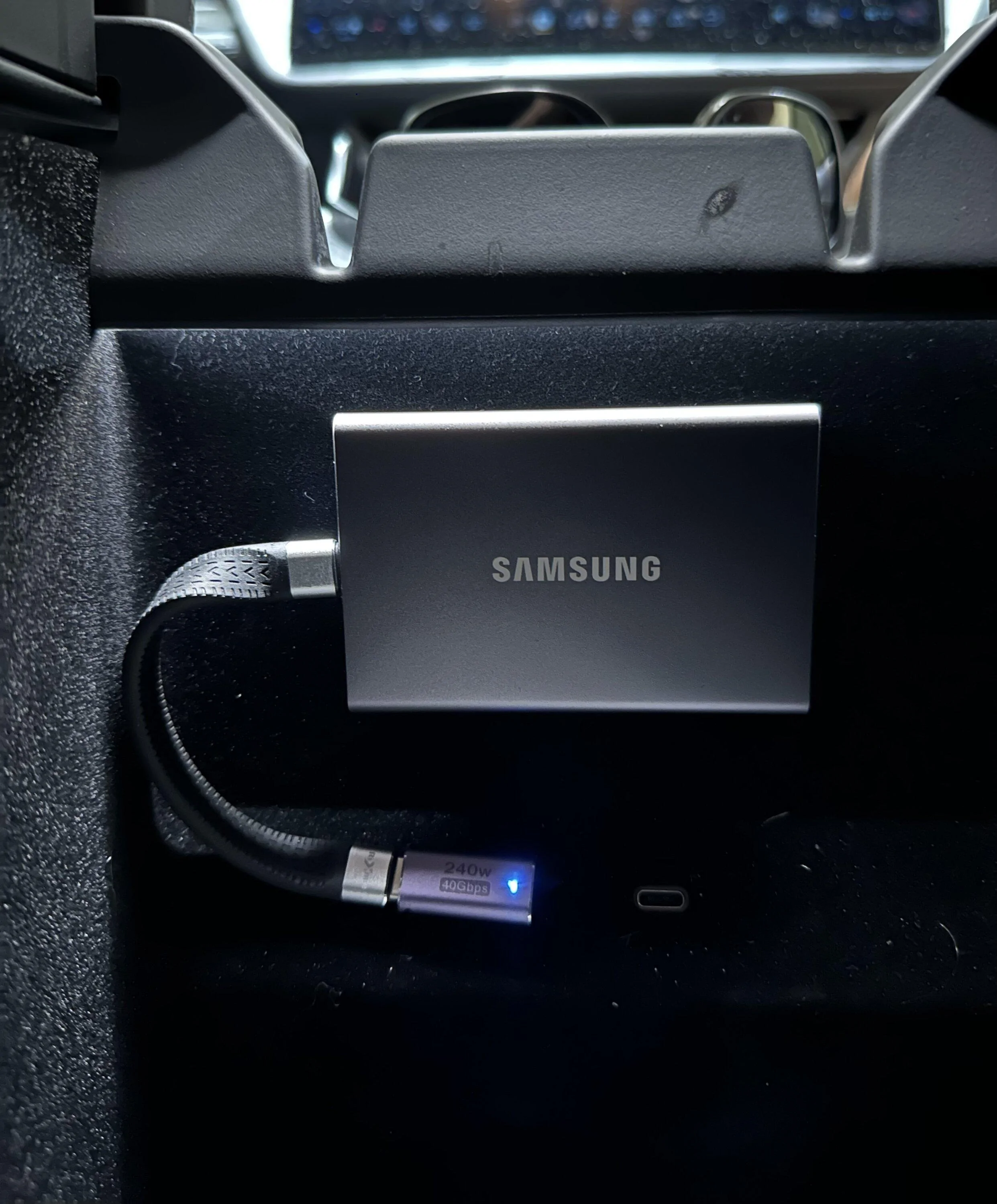
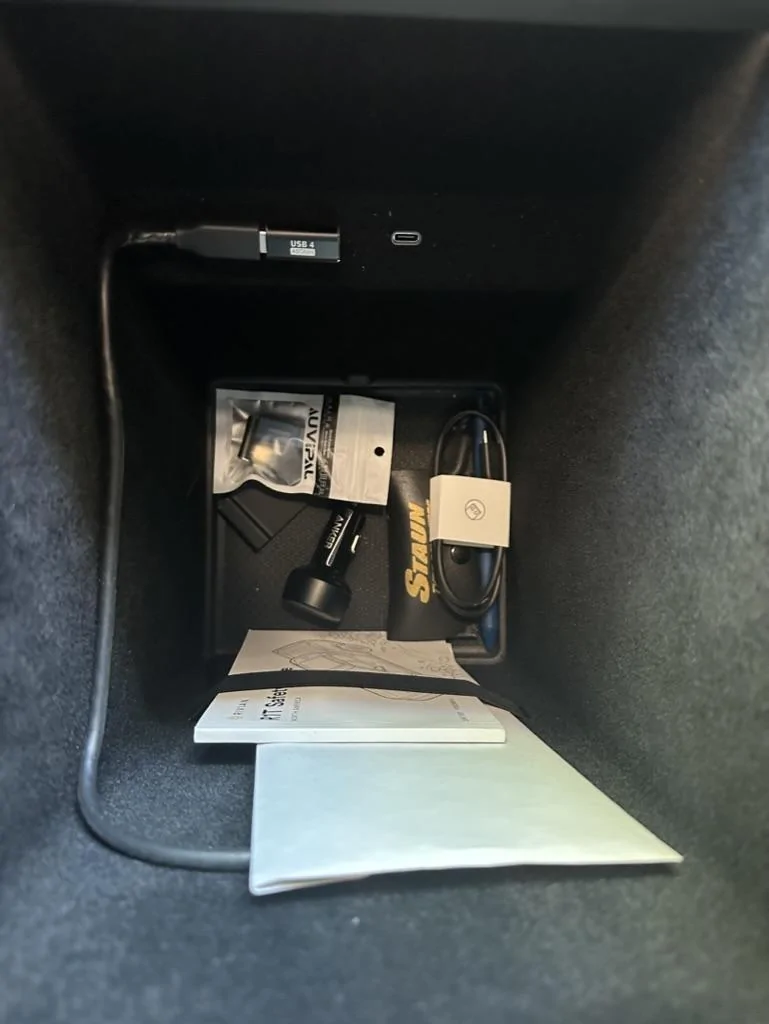
Also - this photo let me know I need to go vacuum my cubby...
IMG_1859.jpeg
Nice. I think I have the same drive.

Do you have a link to that short cable? How are you getting the drive to stick to the back? I tried some velcro I had in my tool chest but it wouldn't stick.

I want to copy your setup!
 

cohall

Well-Known Member
Joined
Mar 30, 2020
Threads
76
Messages
1,604
Reaction score
5,664
Location
Denver
Vehicles
2022 R1T, 2023 R1S
Nice. I think I have the same drive.

Do you have a link to that short cable? How are you getting the drive to stick to the back? I tried some velcro I had in my tool chest but it wouldn't stick.

I want to copy your setup!
Happy to help! The drive is a Samsung T7 1TB.

Right Angle USB Adapter: https://www.amazon.com/gp/product/B0BRV9P49S ($10 for 2)
5" Flexible USB Cable: https://www.amazon.com/dp/B0B49WCQX4 ($10)
Industrial Velcro Strips: https://www.amazon.com/dp/B003CEXPSA ($4 for 2 sets)

On the velcro, I had to trim about 1" off the strips lengthwise to make it fit the back of the drive. I used the "hooks" side of the velcro on the drive, and the "loops" side stuck to the wall of the cubby. The backing is super sticky, so no issues with it falling down or coming detached...at least not yet. We'll see how it holds up in the summer heat.
 

tosehee

Well-Known Member
First Name
Se Hee
Joined
Nov 1, 2021
Threads
10
Messages
181
Reaction score
107
Location
Atlanta, GA
Vehicles
R1T
Clubs
 
Does storage bigger than 2tb work? I have 4tb HDD lying around, and it seems to fail at formatting.
 

Sponsored

the_mace

Well-Known Member
First Name
Rob
Joined
Apr 8, 2022
Threads
11
Messages
414
Reaction score
343
Location
Boston, MA
Vehicles
Tesla Model S75D, Ford F350 Diesel, Mercedes GLC30
Occupation
CTO
Happy to help! The drive is a Samsung T7 1TB.

Right Angle USB Adapter: https://www.amazon.com/gp/product/B0BRV9P49S ($10 for 2)
5" Flexible USB Cable: https://www.amazon.com/dp/B0B49WCQX4 ($10)
Industrial Velcro Strips: https://www.amazon.com/dp/B003CEXPSA ($4 for 2 sets)

On the velcro, I had to trim about 1" off the strips lengthwise to make it fit the back of the drive. I used the "hooks" side of the velcro on the drive, and the "loops" side stuck to the wall of the cubby. The backing is super sticky, so no issues with it falling down or coming detached...at least not yet. We'll see how it holds up in the summer heat.
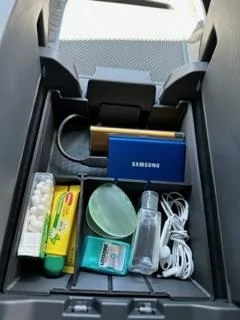
I found the cable with the Samsung T7 was long enough with a right angle adapter to just stick the drive in the elastic in the cubby so that's what I did. No velcro and no extra parts. Just drive (with included cable) and the right angle adapter (more for safety of the connector than anything else)
 

godfodder0901

Well-Known Member
First Name
Jared
Joined
Mar 12, 2019
Threads
27
Messages
5,749
Reaction score
10,139
Location
Washington
Vehicles
2022 Rivian R1T LE
Does storage bigger than 2tb work? I have 4tb HDD lying around, and it seems to fail at formatting.
No. The largest volume supported by FAT32 is 2TB.
 

shrink

Well-Known Member
Joined
Feb 16, 2021
Threads
101
Messages
1,381
Reaction score
2,698
Location
Phoenix, AZ and Kailua-Kona, HI
Vehicles
'23 R1S Quad x 2; '26 Gen 2 R1T Quad Launch; '25 Ioniq 5; '24 Jeep Cherokee
Clubs
 
Does storage bigger than 2tb work? I have 4tb HDD lying around, and it seems to fail at formatting.
2TB is the limit per the release notes
 

godfodder0901

Well-Known Member
First Name
Jared
Joined
Mar 12, 2019
Threads
27
Messages
5,749
Reaction score
10,139
Location
Washington
Vehicles
2022 Rivian R1T LE
Can I partition the drive manually??
You should be able to as long as you don't allocate the remaining space, so that only one volume is presented. But you can't do that in the truck, you'll need diskpart or partition magic.
 

Sponsored

shrink

Well-Known Member
Joined
Feb 16, 2021
Threads
101
Messages
1,381
Reaction score
2,698
Location
Phoenix, AZ and Kailua-Kona, HI
Vehicles
'23 R1S Quad x 2; '26 Gen 2 R1T Quad Launch; '25 Ioniq 5; '24 Jeep Cherokee
Clubs
 
Happy to help! The drive is a Samsung T7 1TB.

Right Angle USB Adapter: https://www.amazon.com/gp/product/B0BRV9P49S ($10 for 2)
5" Flexible USB Cable: https://www.amazon.com/dp/B0B49WCQX4 ($10)
Industrial Velcro Strips: https://www.amazon.com/dp/B003CEXPSA ($4 for 2 sets)

On the velcro, I had to trim about 1" off the strips lengthwise to make it fit the back of the drive. I used the "hooks" side of the velcro on the drive, and the "loops" side stuck to the wall of the cubby. The backing is super sticky, so no issues with it falling down or coming detached...at least not yet. We'll see how it holds up in the summer heat.
Just ordered the USB cable and Velcro. Thanks!
 

limestoneR1T

Well-Known Member
First Name
Michael
Joined
Dec 30, 2022
Threads
5
Messages
64
Reaction score
93
Location
San Diego
Vehicles
23’ R1T, 23' Taco, 22’ X5e, 20’ Rav4, 09’ Lexus
Rivian R1T R1S Show off your dashcam memory card install IMG_0321
 

the_mace

Well-Known Member
First Name
Rob
Joined
Apr 8, 2022
Threads
11
Messages
414
Reaction score
343
Location
Boston, MA
Vehicles
Tesla Model S75D, Ford F350 Diesel, Mercedes GLC30
Occupation
CTO
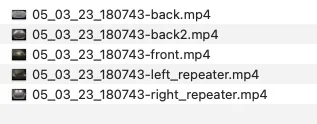
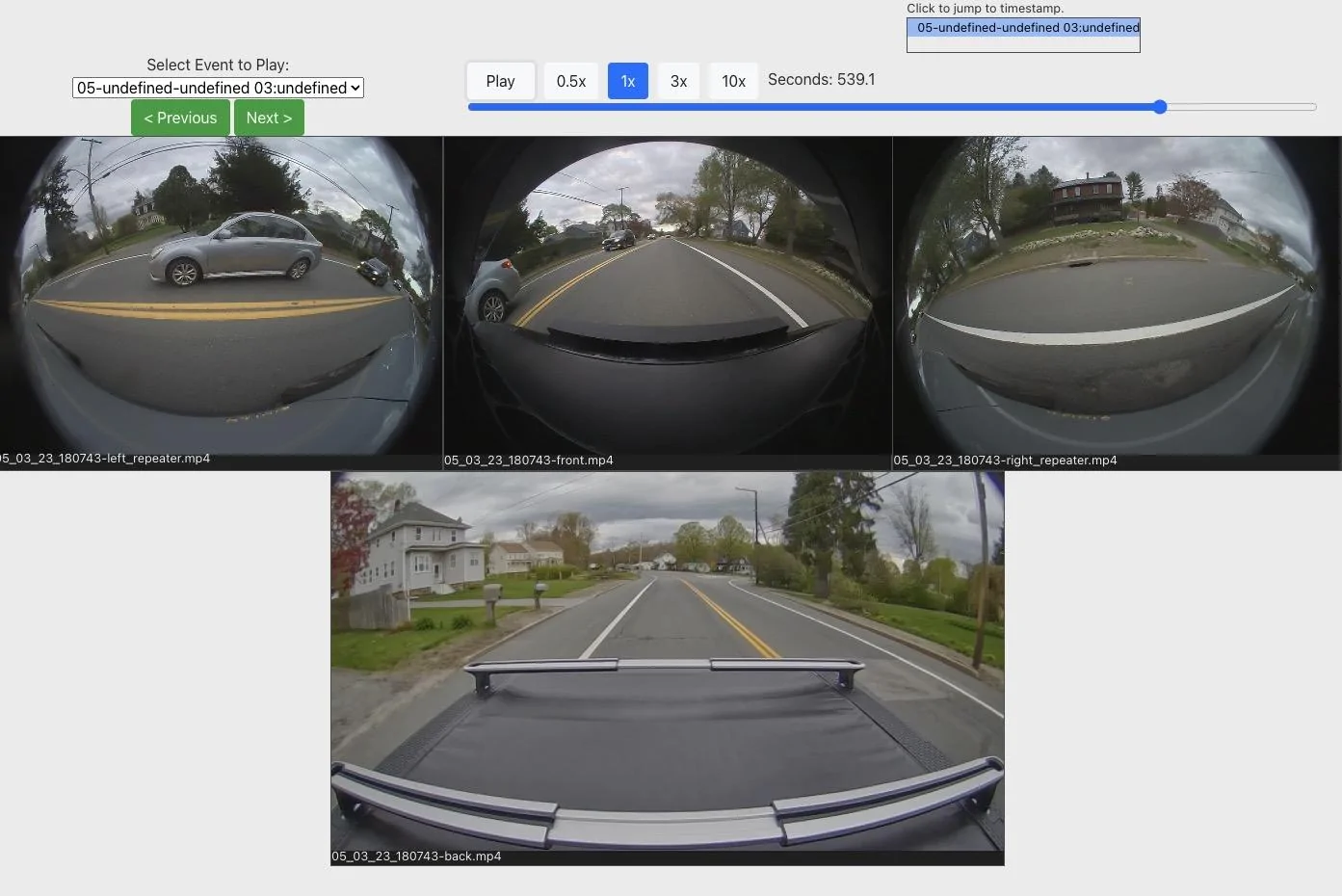
If you want to play the videos from the Gear Guard drive in sync with each other heres an example. Basically using an app owners made for doing it for tesla (https://sentrycam.appspot.com/) and then renaming the files to be like the Tesla files.
Rivian R1T R1S Show off your dashcam memory card install Screenshot 2023-05-03 at 7.28.58 PM
Rivian R1T R1S Show off your dashcam memory card install Screenshot 2023-05-03 at 7.27.26 PM
 

shrink

Well-Known Member
Joined
Feb 16, 2021
Threads
101
Messages
1,381
Reaction score
2,698
Location
Phoenix, AZ and Kailua-Kona, HI
Vehicles
'23 R1S Quad x 2; '26 Gen 2 R1T Quad Launch; '25 Ioniq 5; '24 Jeep Cherokee
Clubs
 
I found the cable with the Samsung T7 was long enough with a right angle adapter to just stick the drive in the elastic in the cubby so that's what I did. No velcro and no extra parts. Just drive (with included cable) and the right angle adapter (more for safety of the connector than anything else)
Based on your comment, I tried it, too, and it's pretty clean!

I just ordered @cohall solution, too. I'll try both and see what I like better.

Rivian R1T R1S Show off your dashcam memory card install 1683158266083
 

leftride

Member
First Name
Ross
Joined
Nov 26, 2022
Threads
0
Messages
17
Reaction score
23
Location
denver
Vehicles
R1T
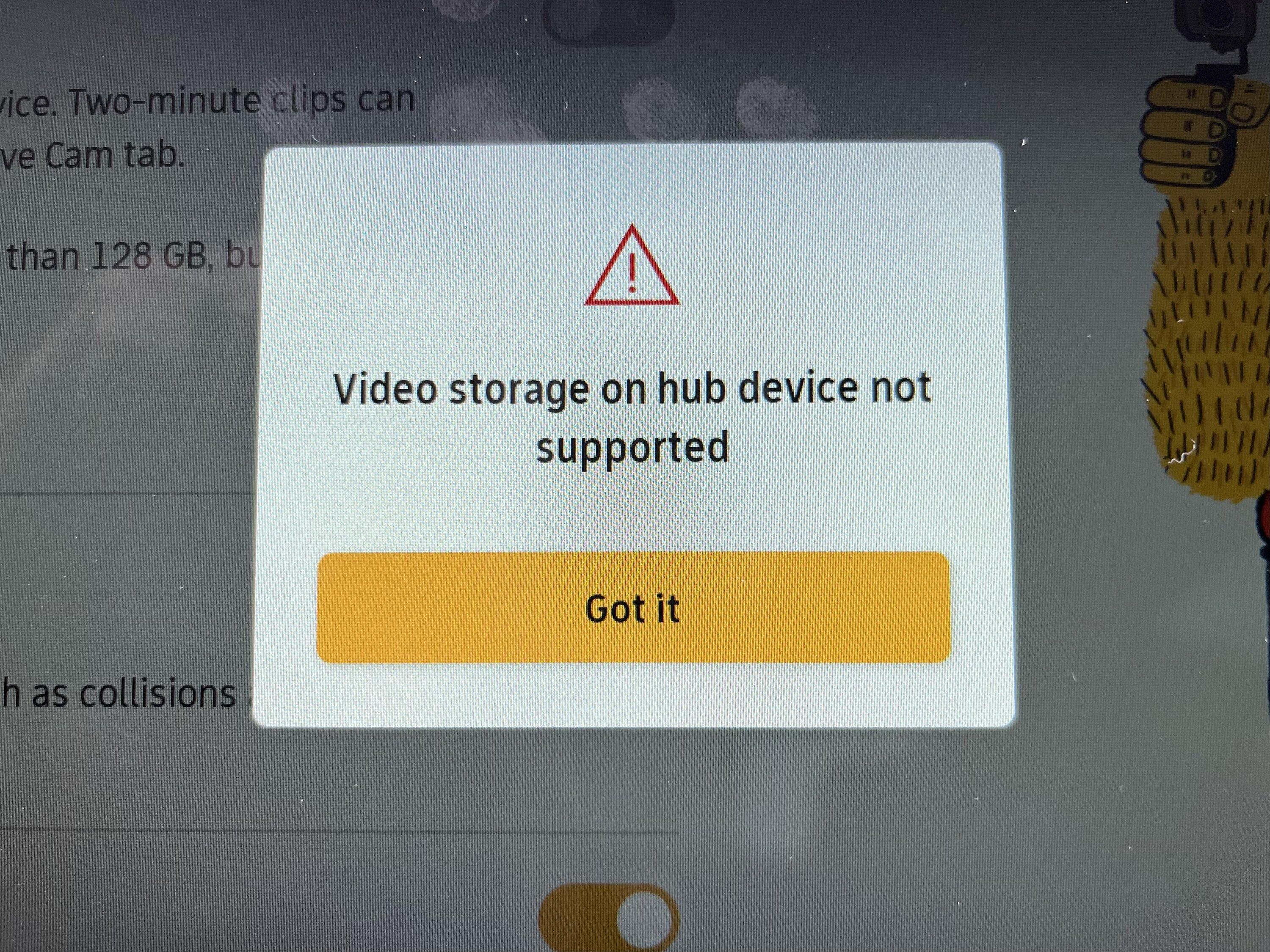
Thought I could get creative with this and retain a usb-a port, but no go since it looks like it's detected as a 'hub'. It did however work fine to download Gear Guard videos before the update. Going to give the basic microsd card reader Kacey3 recommended a try.

Rivian R1T R1S Show off your dashcam memory card install IMG_2685
Sponsored


Top