Deacon
Well-Known Member
- First Name
- Ernie
- Joined
- Aug 25, 2021
- Threads
- 8
- Messages
- 318
- Reaction score
- 382
- Location
- North Carolina
- Vehicles
- Subaru Forester, Rivian R1T
- Occupation
- Retired
Yep!Irrelevant until they start shipping adapters.
Sponsored
Yep!Irrelevant until they start shipping adapters.
After I posted that example, I realized I could have used one involving just Rivian and Tesla chargers to make my point just as easily. Hypothetical: The “ideal” charger for total travel time is a Tesla charger that’s $0.48/kW, but there are RAN and Tesla chargers that are $0.36/kW that will work for the trip but will add 10 minutes because of the SOC involved with using those instead of the more expensive Tesla charger. Some people might prefer the “slower” option to save money. Some might prefer the faster option. I’d like the choice, and an algorithm that helps figure out the priority based on my preference.Yes, stopping at 10% EA vs 20% or 30% Supercharger can get you a better charging speed but there is no way I would ever risk pushing all the way down to 10% on the assumption that the EA station will be available and functioning when I get there. Personal experience, but they are not reliable enough for me to do that. YMMV
I have not had that experience re pricing, but I believe you. If EA wants me as a customer, they need to send an email telling me they guarantee to always price at 20% below the nearest Tesla and RAN. Then I will take the risk on stopping there. Otherwise, not worth it to me. (OTOH, if I have no choice but EA or Chargepoint, EA wins every time...) Your preferences and experience may be different.

Do you get the 12.99 linked to your car if you do the subscription or the only way to use that is to start the session from the Tesla App?Uh no, just get an A2Z or Lectron adapter.
So since I have an A2Z adapter, thought I'd try my closest Tesla SC tonight.
The Tesla integration is awesome. It shows the NACS enable chargers in your map along with # of free stalls. Unfortunately that number always seems to be out of date (Tesla app shows the same numbers, also out of date) - maybe they use like a 15 minute refresh or something.
Anyways, I arrived at the site, maps showing 4/8 stalls available, and 7/8 were available (one roped off out of order).
I plugged the Tesla cable into the A2Z adapter, making sure the finicky Tesla locking slider was first unlocked and then locked (official Rivian Adapter won't have this problem) and then plugged it into my R1S.
And that's it, charging started automatically after about 45 seconds or so. I had my credit card in the the Rivian app/account, so the $0.38/kWh fee charged to non-Tesla membership people was automatically charged to my credit card.
To stop the session, you have to use either your app or the vehicle touchscreen.
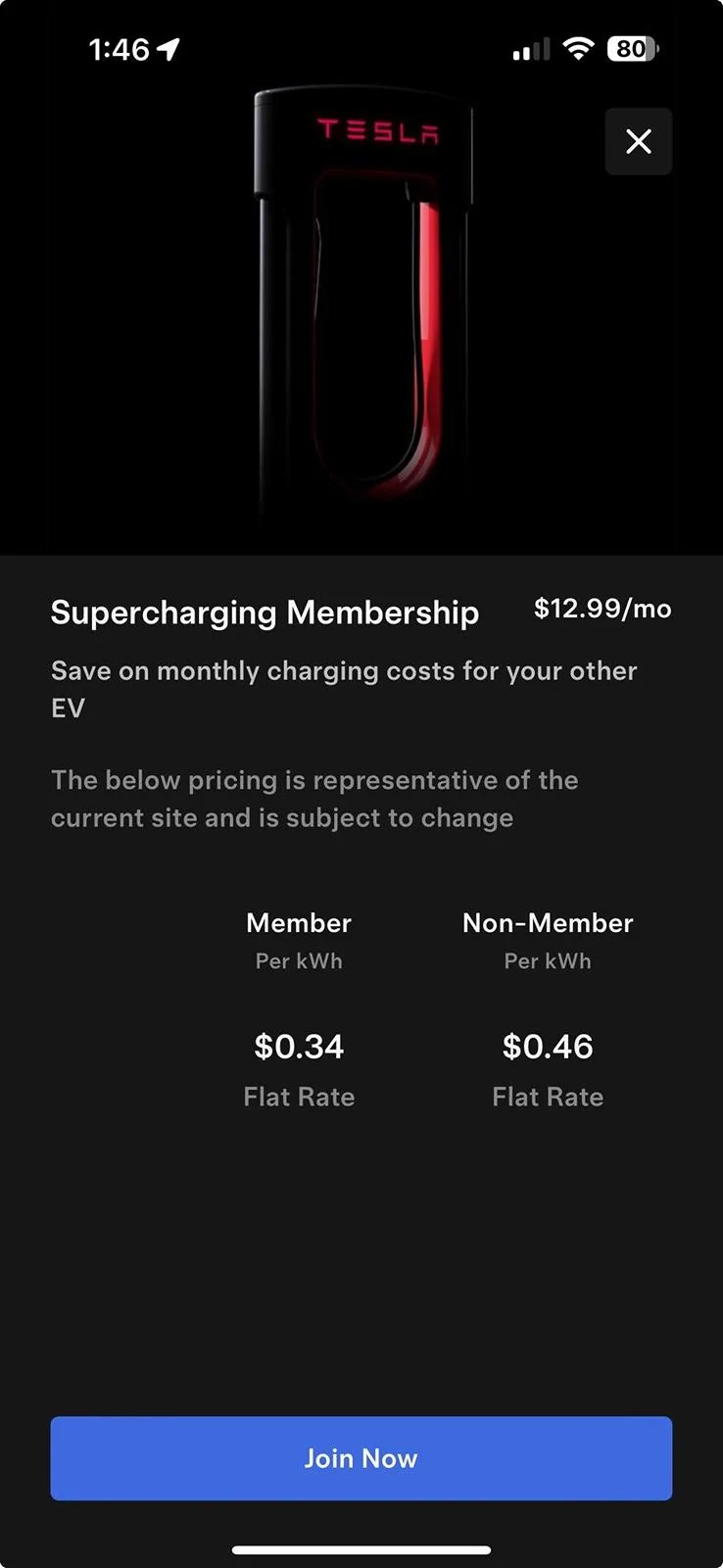
Even though I also own a Tesla, even if I had started the charge on my Tesla app, I still would have been charged the non-membership fee of $0.38/kWh unless I had enrolled in the monthly charging plan at $12.99/month which would have reduced pricing to $0.28/kWh.
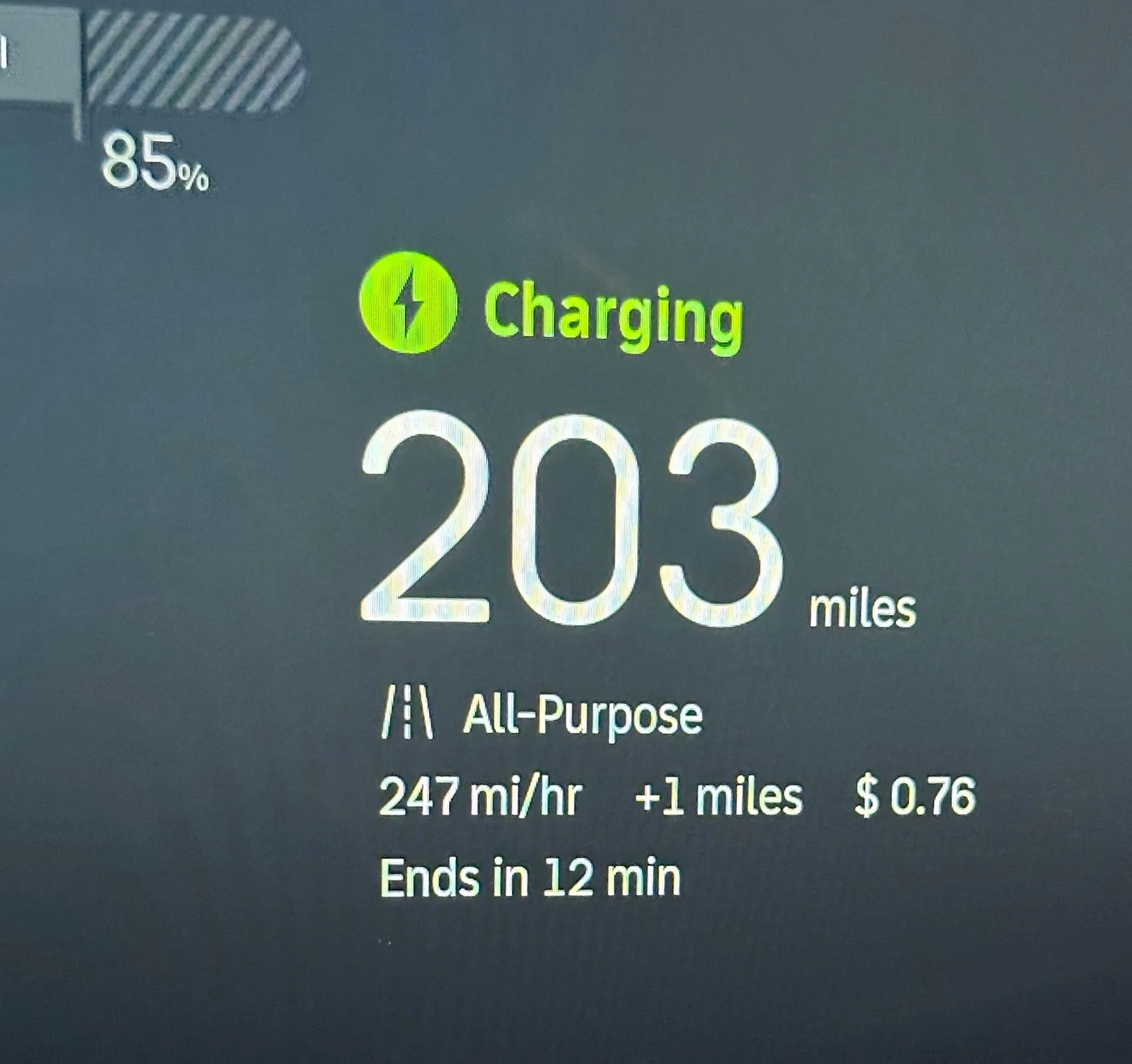
The user interface integration is really nice. Shows a running total on the app and vehicle screens of the cost, speed, etc.

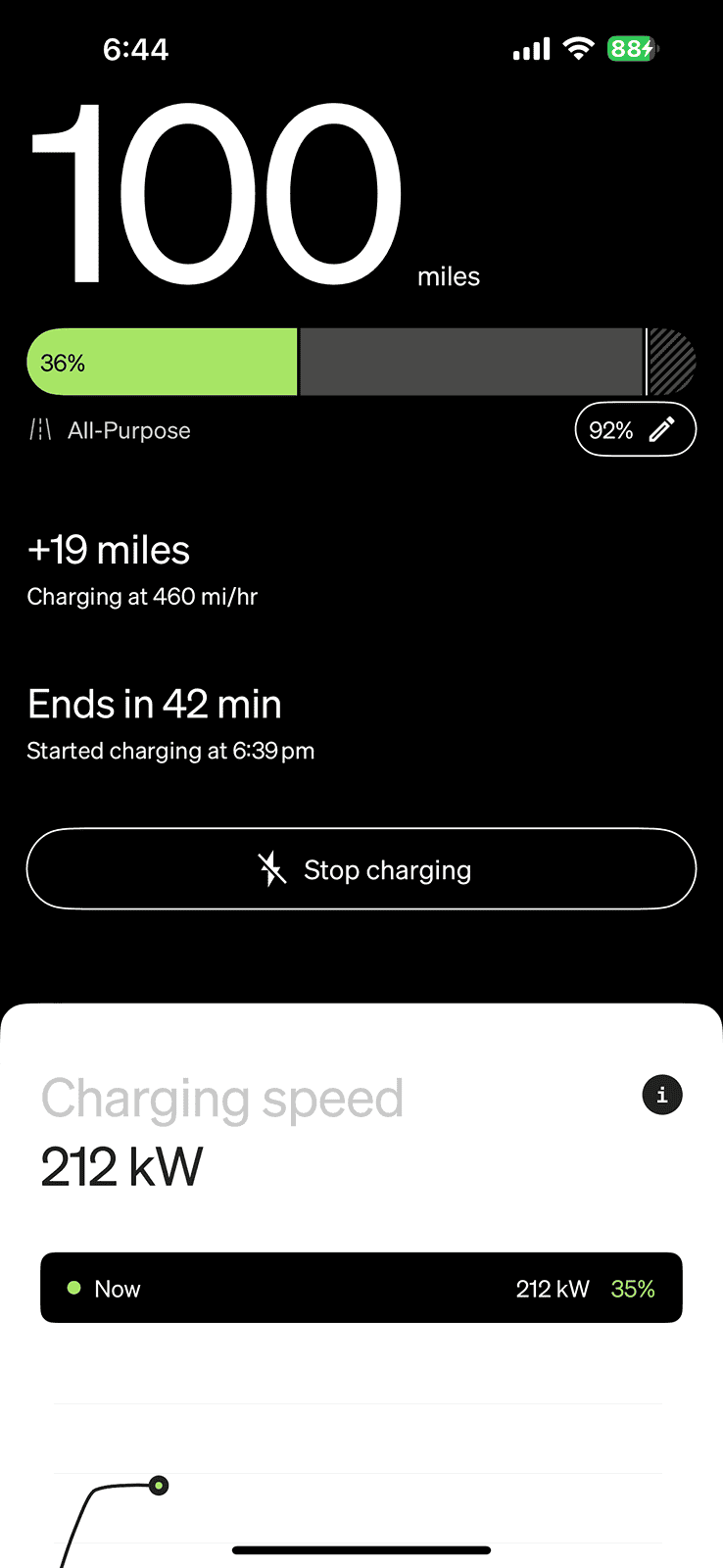
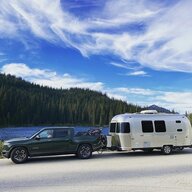
Here’s my R1S at a RAN charger. Plenty of juice coming in.I know the RAN chargers are capable of 200kw, I'm saying I've never seen my vehicle charge anywhere close to 200kw. The most I've seen is probably 165-170kw on my vehicle, from any charger.
Right now the only way to get the subscription price is through the Tesla app.Do you get the 12.99 linked to your car if you do the subscription or the only way to use that is to start the session from the Tesla App?
I almost never use SuperChargers but I have a couple of long road trips and want to make sure I take advantage of it
I wonder if you can use Plug & Charge and have it ‘use’ the fact that you have a monthly charging membership via the Tesla app?Uh no, just get an A2Z or Lectron adapter.
So since I have an A2Z adapter, thought I'd try my closest Tesla SC tonight.
The Tesla integration is awesome. It shows the NACS enable chargers in your map along with # of free stalls. Unfortunately that number always seems to be out of date (Tesla app shows the same numbers, also out of date) - maybe they use like a 15 minute refresh or something.
Anyways, I arrived at the site, maps showing 4/8 stalls available, and 7/8 were available (one roped off out of order).
I plugged the Tesla cable into the A2Z adapter, making sure the finicky Tesla locking slider was first unlocked and then locked (official Rivian Adapter won't have this problem) and then plugged it into my R1S.
And that's it, charging started automatically after about 45 seconds or so. I had my credit card in the the Rivian app/account, so the $0.38/kWh fee charged to non-Tesla membership people was automatically charged to my credit card.
To stop the session, you have to use either your app or the vehicle touchscreen.
Even though I also own a Tesla, even if I had started the charge on my Tesla app, I still would have been charged the non-membership fee of $0.38/kWh unless I had enrolled in the monthly charging plan at $12.99/month which would have reduced pricing to $0.28/kWh.
The user interface integration is really nice. Shows a running total on the app and vehicle screens of the cost, speed, etc.
Ah that’s unfortunate - hopefully that is on the list to change.Right now the only way to get the subscription price is through the Tesla app.

It's my understanding, if you are a subscriber and want to take advantage of the lower rate, you need to initiate charge (prior to plugging in) through the Tesla app. Otherwise, if you plug in first, the Rivian-Tesla backend takes over and is billed to whatever default payment source you currently have associated with your Rivian account.Do you get the 12.99 linked to your car if you do the subscription or the only way to use that is to start the session from the Tesla App?
I almost never use SuperChargers but I have a couple of long road trips and want to make sure I take advantage of it
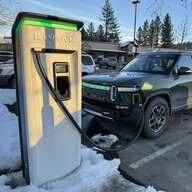
I know Large Packs can charge that fast. I'm asking if other Max Pack owners have seen what I've seen.Here’s my R1S at a RAN charger. Plenty of juice coming in.

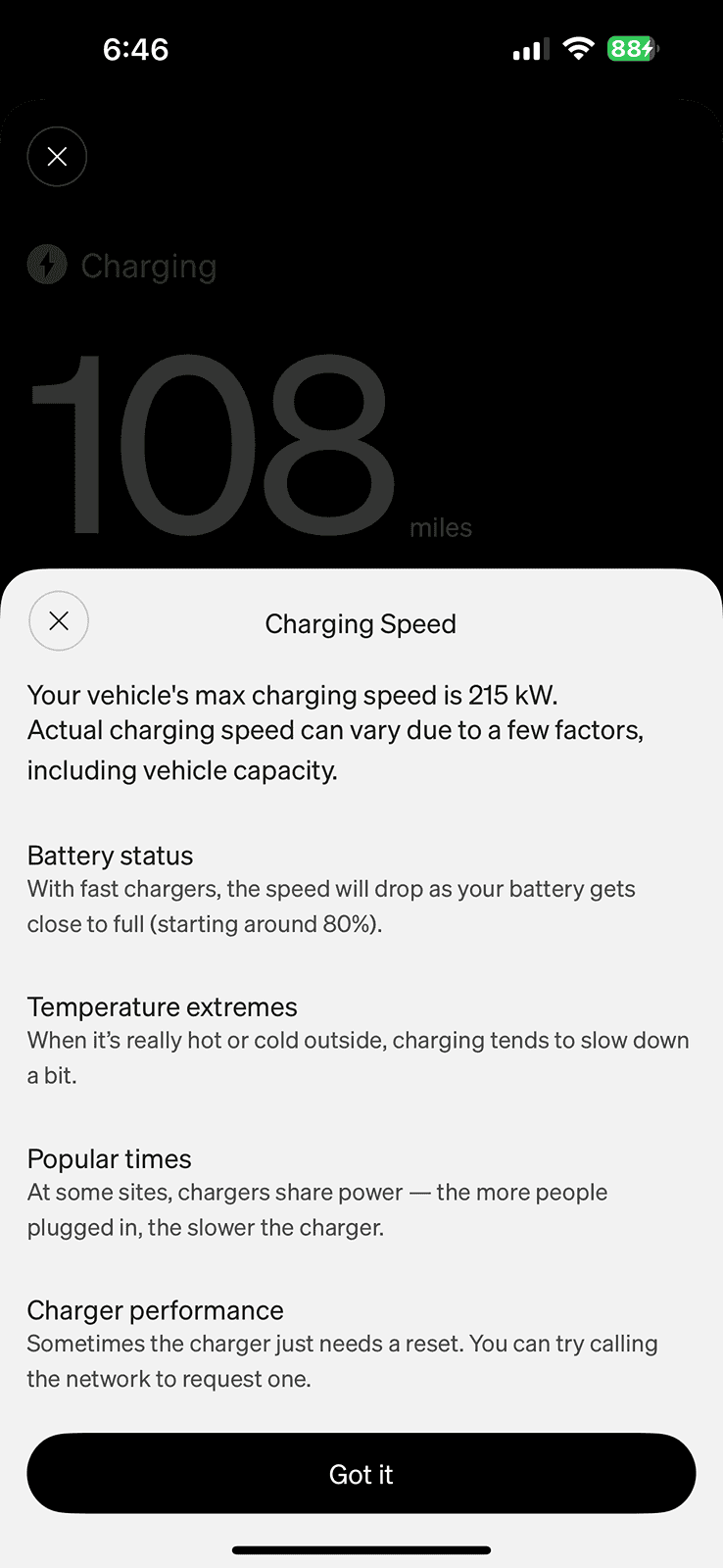
I have seen 221kw multiple times on both RAN and Electrify america Battery needs to be in the 20-40% range to see these numbers.I've never seen charge rates come close to 200kw even on RAN chargers. I usually get up to around 160kw peak or so. Does the Max Pack just not hit those numbers or should I get it checked out?
I can't tell from your signature which battery you have. Is it a Max Pack?I have seen 221kw multiple times on both RAN and Electrify america Battery needs to be in the 20-40% range to see these numbers.
PK
It's unlikely to change in the short to medium term, I think. Rivian was pretty specific about not sharing customer data with Tesla, so all Tesla sees is "some Rivian is charging here" and they bill Rivian for the price and Rivian bills you. Tesla has no way to know which Rivian is charging if you use plug and charge, so they have no way to know whether you're signed up or not unless you start the session from the app.Ah that’s unfortunate - hopefully that is on the list to change.

You are correct with Bluedot app, that is how I have it setup with all my charging apps, and 20% credit is applied when you get billed at the end of each session (you get points). So far I only tried it with EVgo, and ChargePoint, but Rivian should work the same.It's my understanding, if you are a subscriber and want to take advantage of the lower rate, you need to initiate charge (prior to plugging in) through the Tesla app. Otherwise, if you plug in first, the Rivian-Tesla backend takes over and is billed to whatever default payment source you currently have associated with your Rivian account.
Instead of subscribing Tesla, I've opened an account for the Bluedot app. But still trying to figure out how that should be used to start a charge (to get the 20% cash back). They've not responded to my question. Add their credit card to my Rivian account and then set it as default? If Bluedot users know, please chime in.
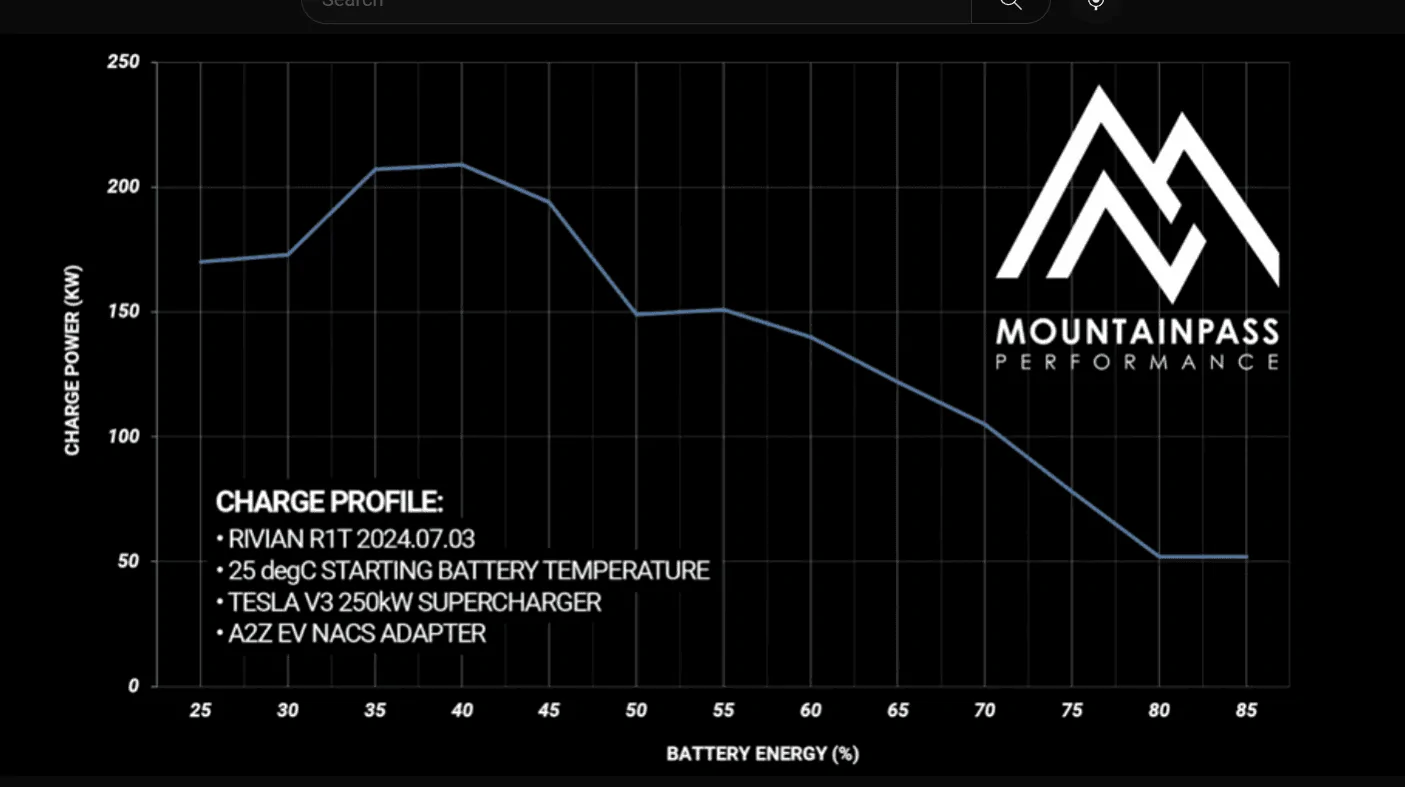
Does anyone know if Rivian has lowered the charge curve recently? I've seen 200kw right up to 50% in the past, but looks like this tapers off 200kw after 40%I was able to hit 213 kW using RAN with battery preconditioned.
MountainPass tested the unofficial adapter on Tesla network in this thread and were able to hit 208 kW.
I ordered one using discount code "RIV" and will use it until the official one shows up.
A2Z EV Link - NACS (Tesla® Supercharger & NACS 3RD PARTY DC CHARGERS) to CCS1 Adapter | 500A | 1000V
Unofficial A2Z DCFC NACS to CCS 500A / 1000v adapter YouTube review.

For what I can see it's about $0.14 cheaper per KWh with the subscription, which means it pays up after the first 95KWh , like a 10%-85% session would pay for it.It's my understanding, if you are a subscriber and want to take advantage of the lower rate, you need to initiate charge (prior to plugging in) through the Tesla app. Otherwise, if you plug in first, the Rivian-Tesla backend takes over and is billed to whatever default payment source you currently have associated with your Rivian account.
Instead of subscribing Tesla, I've opened an account for the Bluedot app. But still trying to figure out how that should be used to start a charge (to get the 20% cash back). They've not responded to my question. Add their credit card to my Rivian account and then set it as default? If Bluedot users know, please chime in.