

Tim-in-CA
Well-Known Member
I just installed 2023.31.01 ... will have to see if my VD has decreased from its elevated 27.01 level!! Will take till tomorrow to determine.
Sponsored

Waiting with bated breath to learn if the new update returns SOC loss back to "normal."I just installed 2023.31.01 ... will have to see if my VD has decreased from its elevated 27.01 level!! Will take till tomorrow to determine.
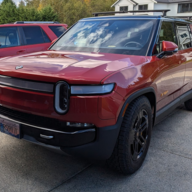

I’ve had my ‘23 R1S for almost a year now. I experience a 1-2% daily vampire drain. While I wish Rivian would address this issue, it doesn’t stop me from smiling every time I get behind the wheel or admiring it from a distance.As someone considering purchasing a steeply discounted 2024 Rivian versus 2025, that will be used for camping in remote places, I'm curious to hear if this has been resolved
Also not to highjack the thread, but curious if anyone regrets the pre-2025 model because of this long ongoing issue.
It was not resolved and up to 5% per support is normal. Most of the people loose 1-2% per day, so between 1.4-2 kwh per day. This is due design flaws in hardware that will not be fixed. So you either agree to live with it or get f150 lighting with 0 drain.As someone considering purchasing a steeply discounted 2024 Rivian versus 2025, that will be used for camping in remote places, I'm curious to hear if this has been resolved
Also not to highjack the thread, but curious if anyone regrets the pre-2025 model because of this long ongoing issue.
Interesting one. I haven’t heard anyone try this yet.The camp speaker removed is one things I have not done yet. Anyone else doing this to save a bit?
Is it locked or unlocked?... Over a 48 hour period (admittedly a very short period of time for testing purposes) I have had zero drain. My DM R1T has the following features active/deactivated:
Bluetooth on
WIFI off
Hotspot off
Camp Speaker removed (no charging)
Navigation on
Driver Assist off
Rivian Mobile App on
Alexa on
Data Analytics off
Camera Data off
I do not use iPhone Paak (only FOB) nor Connect +
I almost never use the Rivian App to check on the truck and it is parked in an enclosed garage which is heated.
It would be interesting to hear what others are doing and whether it might be contributing to their drain?
Is it connected to LTE while parked in the garage?Like others I have been following the VD threads for some time. I generally do not see information about the features owners have activated or deactivated on their Rivian’s just a percentage loss over a given period of time. I wonder if the features activated might be part of the problem. I installed 2024.31.01 recently. Over a 48 hour period (admittedly a very short period of time for testing purposes) I have had zero drain. My DM R1T has the following features active/deactivated:
Bluetooth on
WIFI off
Hotspot off
Camp Speaker removed (no charging)
Navigation on
Driver Assist off
Rivian Mobile App on
Alexa on
Data Analytics off
Camera Data off
I do not use iPhone Paak (only FOB) nor Connect +
I almost never use the Rivian App to check on the truck and it is parked in an enclosed garage which is heated.
It would be interesting to hear what others are doing and whether it might be contributing to their drain?

Mine has been removed for two months now because I replaced it with the aftermarket storage draw.. no difference in VD with it removed.The camp speaker removed is one things I have not done yet. Anyone else doing this to save a bit?
I generally agree but would quibble with this point. As I understand it R1 wakes up all the time in order to upload data to Rivian. If Rivian turned off this behavior in software we might see much less drain.I've basically gone through every combination of 'turn this off, disable that' over the 1.5yrs I've owned my Rivian. Bottom line, no matter what you do as an owner, there seems to be a floor of around 2-3miles/day loss that you just can not get below in the Gen1 vehicles unless you go the trickle charger route. It's a hardware/design limitation that's just inherent in the Gen1 vehicles.
Not true. My battery tender connection to 12V battery proves the the frequent wake ups are to charge the 12V battery. My vehicle has slept for 48 hrs plus. Without the BT, it wakes VERY FREQUENTLY. But each time it wakes, there is mysterious amount of MB sent to RivIan even if the vehicle hasn’t been driven for days.I generally agree but would quibble with this point. As I understand it R1 wakes up all the time in order to upload data to Rivian. If Rivian turned off this behavior in software we might see much less drain.


