Sponsored

CommodoreAmiga

Well-Known Member
Joined
Dec 30, 2020
Threads
39
Messages
4,104
Reaction score
7,729
Location
INACTIVE
Vehicles
INACTIVE
Lane centering is the camera #1 me thinks, I don't think any of the other cameras are part of Driver+.
I think it may use the cameras in the front fenders, too. If it doesn't, then I'm not sure what purpose they serve, otherwise. Maybe blind spot monitoring, too?
Sponsored


Tony R1S

Well-Known Member
First Name
Tony
Joined
Mar 1, 2022
Threads
22
Messages
246
Reaction score
130
Location
San Jose
Vehicles
Pacifica Hybrid, R1S G1 QM 20
Just tested out the driveCAM recording on the road. My USB-A to SATA+SSD didn't work, so I'm using an old 500G HDD temporarily . Seems to work well with the horn trigger, it saves a ~2min clip. But how do I enable continuous recording?

It's difficult to view the fish-eye video, is there an easy way to post-process it to un-warp it?
 

brancky3

Well-Known Member
First Name
Brandon
Joined
Feb 11, 2022
Threads
7
Messages
727
Reaction score
858
Location
Greenville, SC
Vehicles
22 CY R1T, 21 MachE GT
Occupation
IT
Just for clarification, the incident recording works without external storage, but the drive cam needs external storage, right? Why would I want a drive cam if I have an incident cam? I don’t care about recording my drive, I care about proving an accident wasn’t my fault.
 

CommodoreAmiga

Well-Known Member
Joined
Dec 30, 2020
Threads
39
Messages
4,104
Reaction score
7,729
Location
INACTIVE
Vehicles
INACTIVE
Just for clarification, the incident recording works without external storage, but the drive cam needs external storage, right? Why would I want a drive cam if I have an incident cam? I don’t care about recording my drive, I care about proving an accident wasn’t my fault.
Incident cam only records when certain criteria are met. There's always a chance that it doesn't trigger when you need it to.

For the minimal cost of a SD card, I'd just install one and enable full dashcam functionality. That way you are more likely to have the footage when you need it.

You don't have to review the footage until you need it, so once installed/configured it doesn't get in the way.
 

NoGoingBack

Well-Known Member
First Name
Brian
Joined
Mar 21, 2020
Threads
3
Messages
170
Reaction score
206
Location
Ohio
Vehicles
F150, R1T
Occupation
Information Technology
Clubs
 
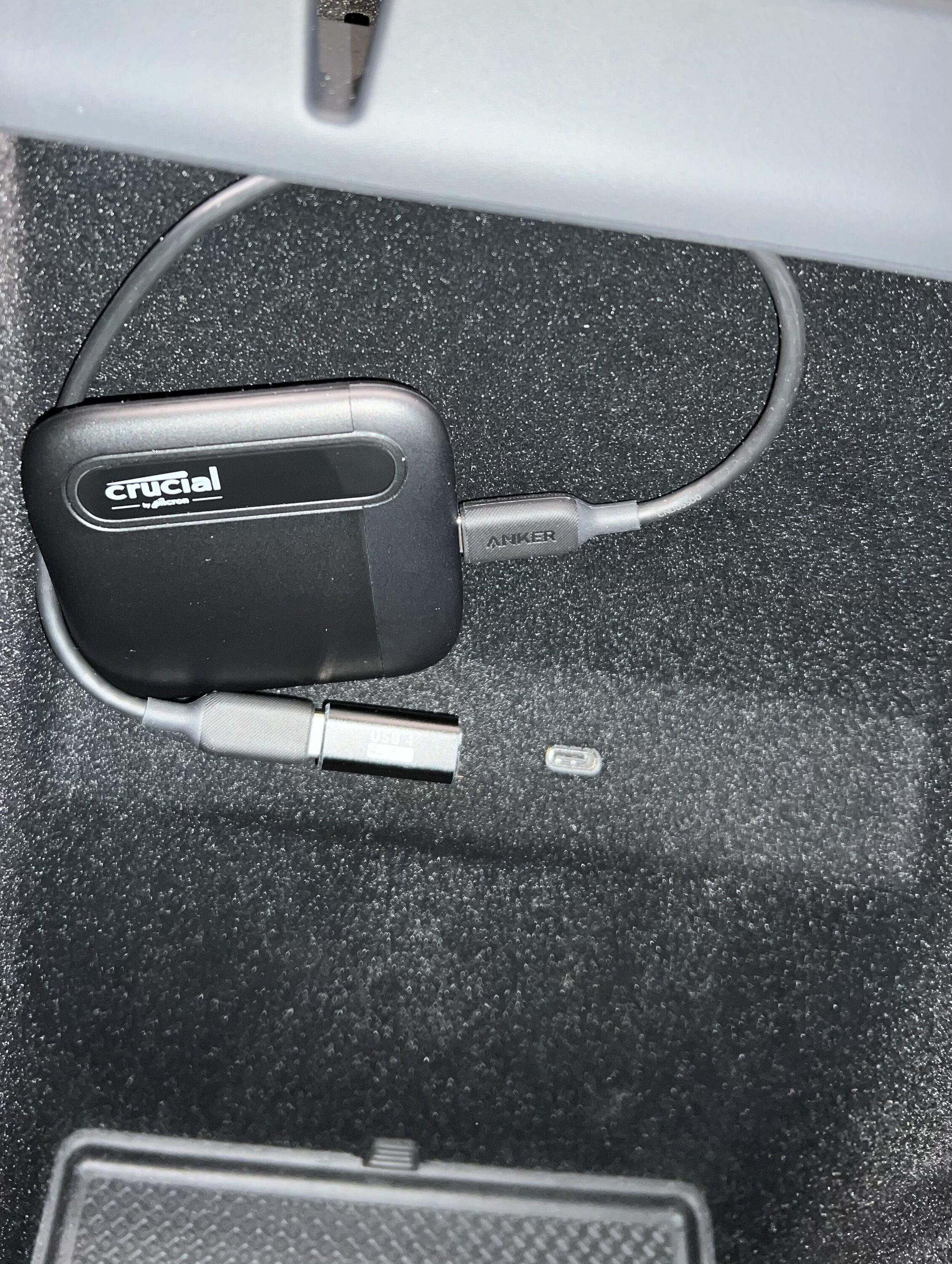
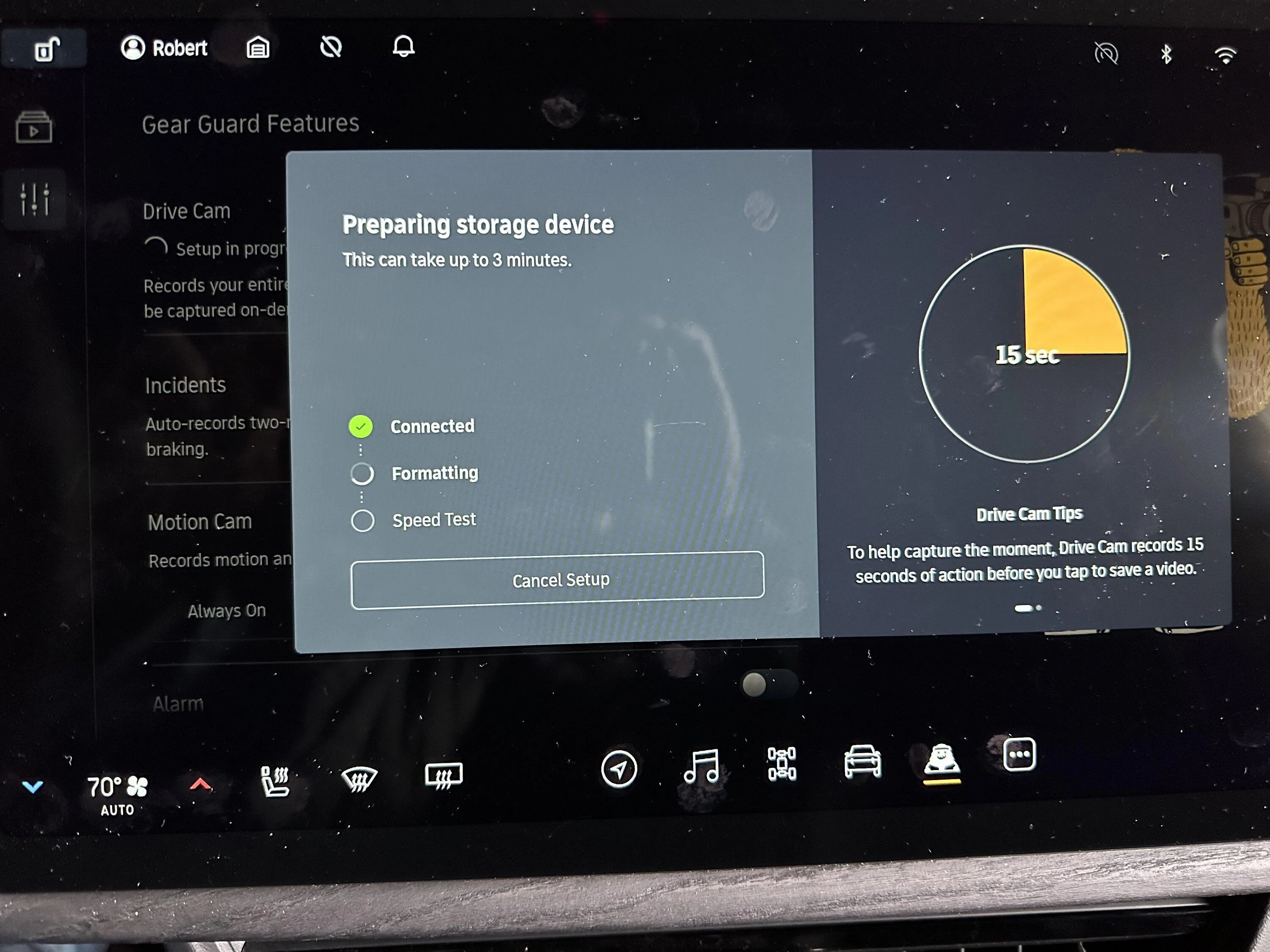
I just got the update tonight, can’t wait to try it out tomorrow. I went with a Crucial X6 1TB Portable SSD. It was only $59.99, bought a right angle adapter and a slightly longer anker usb cable so I could install it like this. I wish Velcro stuck the fuzzy stuff in the console but it seems to sit in their ok for now with out it. If I had it to do over again I would grab the 2tb version since that the drive size limit. Setup went perfect and the drive formatted quickly. Will report back if I have any issues with it.
Rivian R1T R1S Show off your dashcam memory card install 4103656D-C3BD-47BD-A6E5-849FD23ABFD0
 
Last edited:

Sponsored

DTown3011

Well-Known Member
Joined
Jun 7, 2022
Threads
30
Messages
1,719
Reaction score
2,257
Location
Denver, CO
Vehicles
Rivian R1T
Am I the only one having this issue? My 256GB SanDisk Micro SD card is recording the DriveCam videos fine on all four cameras (R1S). However, I can only view them on my computer. There are no Drive Cam videos available to watch on the screen of the Rivian. (Card was successfully formatted in the Rivian screen and connects no problem). I've done a soft reboot as well. Same thing. I assume you should be able to view the Drive Cam videos on the screen?
Yes, you should be able to watch it:

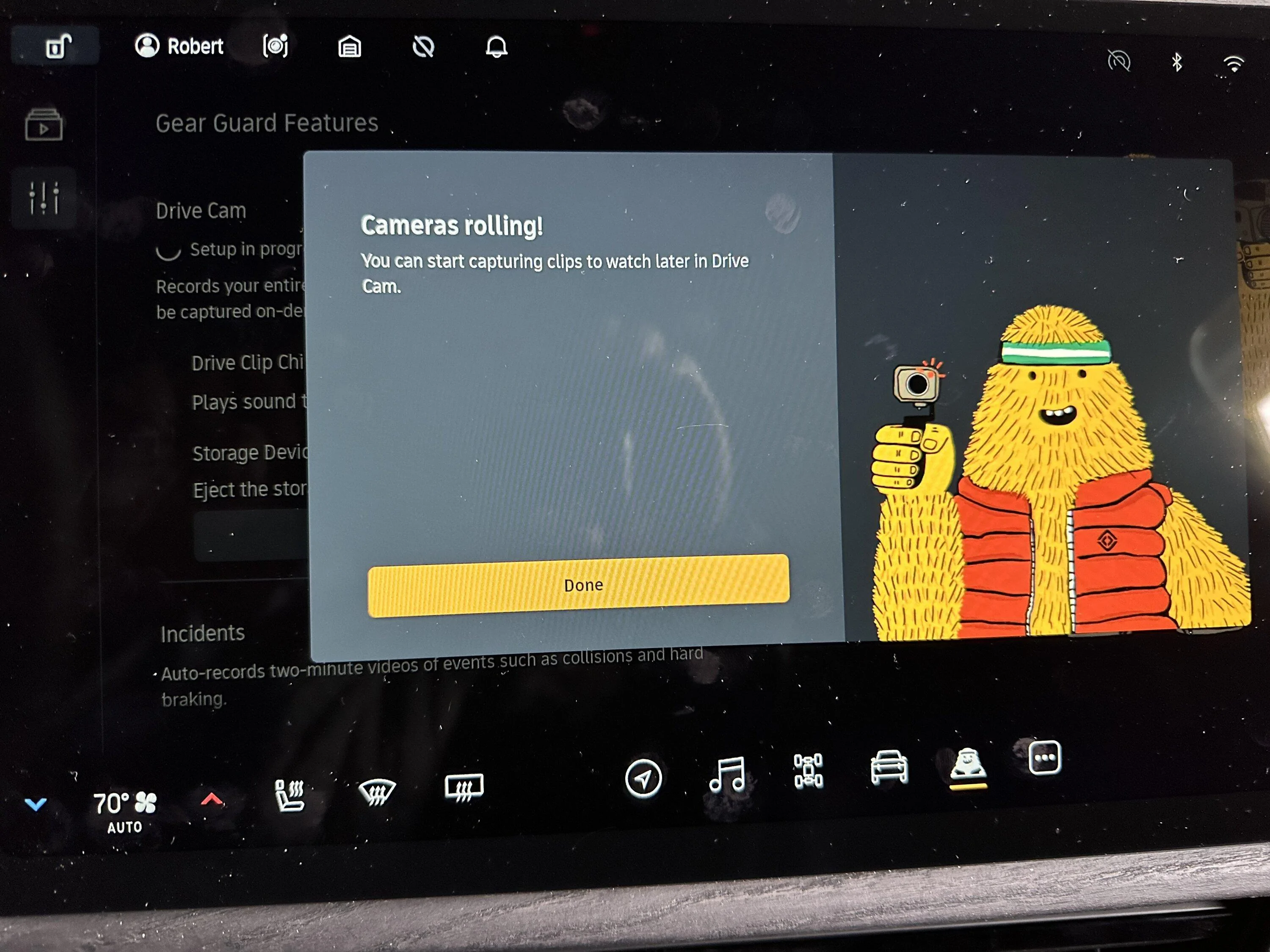
When you install a USB-C drive and turn Drive Cam on, the Gear Guard cameras can record and save video of entire trips (up to the maximum space available on your external drive). When something catches your eye, tap the Save Clip button on your center display, and Gear Guard will make a two-minute video clip. You can then watch the two-minute clip directly on your center display or download it — and all the remaining video you’ve captured — with the external drive to watch it on a computer.
 

Tony R1S

Well-Known Member
First Name
Tony
Joined
Mar 1, 2022
Threads
22
Messages
246
Reaction score
130
Location
San Jose
Vehicles
Pacifica Hybrid, R1S G1 QM 20
Oh yes, you're right, the continuous recording does get saved automatically to the external drive. There are two folders under /DriveCam/DriveStream and /DriveCam/SaveClips. Pretty cool.

I think I'll still keep my dash cam install since it records audio and GPS, but I can remove my rear camera.
 
OP
OP
jeeden

jeeden

Well-Known Member
First Name
Jeremy
Joined
Oct 27, 2020
Threads
57
Messages
1,083
Reaction score
1,632
Location
Northern VA
Vehicles
Rivian R1S, 2016 Ford Escape, 2015 Ford Mustang GT
Occupation
Project Manager
Clubs
 
Yes, but we don't definitively know what the record/retention policy is yet, i.e. we don't know if it will use the full 2TB and cyclically write, or if it only uses 256GB etc.
Rivian Reels
I have a full channel worked out including the name, theme song, etc. No time to run it though...
 
OP
OP
jeeden

jeeden

Well-Known Member
First Name
Jeremy
Joined
Oct 27, 2020
Threads
57
Messages
1,083
Reaction score
1,632
Location
Northern VA
Vehicles
Rivian R1S, 2016 Ford Escape, 2015 Ford Mustang GT
Occupation
Project Manager
Clubs
 
Can someone check me on my understanding of the different modes?

  • The drive cam mode of course will record everything if on
  • Hitting the horn, hard braking, other safety activations will save two minutes plus the previous 15 second of footage
  • Touching the save clip icon on the top of the screen will save two minutes plus the previous 15 second of footage

I'm not clear if I need to have the drive cam on for bullet 3 above.

I probably won't use the drive cam much except specific situations, but I do always want the option to touch the clip button when I see something happen and get the 15 seconds before I touch it.
 

Sponsored

cjones1130

Well-Known Member
Joined
Feb 22, 2022
Threads
10
Messages
299
Reaction score
298
Location
Georgia
Vehicles
2017 Audi Q7 , 2023 Red Canyon Rivian R1T
I think it may use the cameras in the front fenders, too. If it doesn't, then I'm not sure what purpose they serve, otherwise. Maybe blind spot monitoring, too?
Those are for Gear Guard and now Drive Cam(side vehicle videos). They are not part of Driver+
 

keenanj

Banned
Well-Known Member
First Name
Jeff
Joined
Sep 20, 2022
Threads
24
Messages
65
Reaction score
47
Location
east hampton CT 06424
Vehicles
Tesla Model 3 Performance, C8 Corvette, VW Tiguan
Occupation
tech entrepreneur
I am using a samsung 980 m.2 1TB drive in an enclosure

video review here
 

CommodoreAmiga

Well-Known Member
Joined
Dec 30, 2020
Threads
39
Messages
4,104
Reaction score
7,729
Location
INACTIVE
Vehicles
INACTIVE
Those are for Gear Guard and now Drive Cam(side vehicle videos). They are not part of Driver+
You sure it's not using the cameras under the side view mirrors for that?
 

cjones1130

Well-Known Member
Joined
Feb 22, 2022
Threads
10
Messages
299
Reaction score
298
Location
Georgia
Vehicles
2017 Audi Q7 , 2023 Red Canyon Rivian R1T
You sure it's not using the cameras under the side view mirrors for that?
? now you have me thinking...early on my youngest was toying around w/gear guard and was making faces at the fender camera, we viewed and maybe I'm misremembering how it looked. I'll have to test later to see which one picks up video.

If it is the mirror camera picking up video then the fender camera must be part of Driver+ and vice versa.
Sponsored


Top